Contents
- Product usage
- Content filtering: prompts, uploads and generated images
- Prompt writing basics: subject, context and style
- Writing prompts for Imagen 3
- Text in images
- Parameterizing your prompt
- Style: photography
- Style: illustration and art
- Advanced prompt writing techniques
- Photography modifiers
- Shapes and materials
- Historical art references
- Image quality modifiers
- Aspect ratios
- Negative prompts
- Photorealistic images
- What's next
- How to use these tips in Solistra
- Sources and licenses
Editor's note. This is an English adaptation of Google's official prompt guide for the Imagen models on Vertex AI, retold in our own words. The original was last updated on October 26, 2026, and a link to it is in the sources below. Google notes on that page that the Vertex AI documentation is no longer maintained and that Vertex AI services are now part of Gemini Enterprise Agent Platform. The advice on prompt structure, camera, lighting and style is general, so it carries over to most models in the Image («Фото») section.
Imagen on Vertex AI works from a written description of what you want to create or change. That description is the prompt, and it is the main way you steer generative AI on the platform.
Below you will see how changing individual parts of a text-to-image prompt changes the picture, along with sample images you can recreate. There are also tips on editing images through prompts and several rounds of refinement.
Product usage
Google's usage standards and content restrictions for Imagen on Vertex AI live in its usage guidelines.
Content filtering: prompts, uploads and generated images
Every generated image is screened for harmful or unwanted content. The same goes for everything Imagen receives: your text prompt and, when you edit a picture, the photos you upload. The details are in Google's document on responsible AI and Imagen usage guidelines.
If you suspect Imagen is being abused, or you get a result with inappropriate material or inaccurate information, you can flag it through the Report suspected abuse on Google Cloud form.
Prompt writing basics: subject, context and style
There is no single correct way to write a good prompt, but the right keywords and modifiers get you closer to what you have in mind. A prompt doesn't need to be long or elaborate. Most strong prompts are simply clear and descriptive.
A good place to start is to think about three things: the subject, the context and the style.
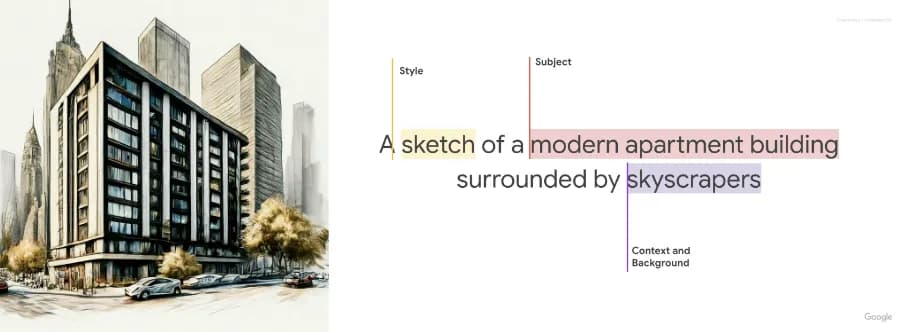
The diagram reads: a sketch (style) of a modern apartment building (subject) surrounded by skyscrapers (context and background).
- Subject. Begin with the main thing you want to see: an object, a person, an animal or a landscape.
- Context and background. Where the subject sits matters just as much. Try different settings, such as a studio with a white backdrop, a city street or an interior.
- Style. Finally, add the look you want. It can be broad, like painting, photography or sketching, or very specific, like pastel, charcoal drawing or isometric 3D.
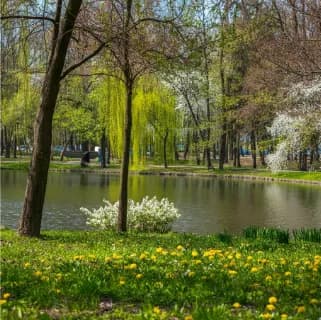
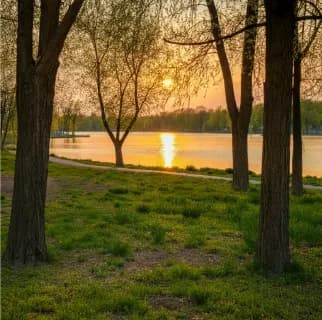
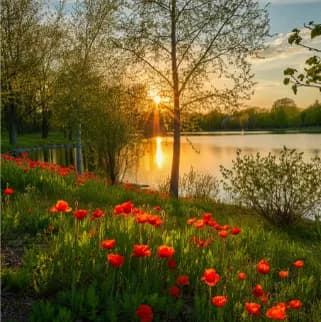
Once you have a first draft, keep refining it and adding detail until the image matches your idea. Iteration is the whole point: start with the core concept, then sharpen and expand it step by step.
Park in the spring next to a lake
Park in the spring next to a lake, the sun sets across the lake, golden hour
Park in the spring next to a lake, the sun sets across the lake, golden hour, red wildflowers
Writing prompts for Imagen 3
Imagen 3 can turn both quick one-liners and long, detailed prompts into rich images. Refine your idea in rounds and keep adding detail until you get what you want.
A short prompt is the fastest way to see a result.
Close-up photo of a woman in her early twenties, street photography, movie still, muted warm orange tones
A longer prompt gives you room for specific details and lets you build up the scene.
A captivating photo of a woman in her early twenties shot in a street photography style. The image should look like a still from a movie, with muted warm orange tones.
A few more tips for prompting Imagen 3:
- Be descriptive. Rich adjectives and adverbs paint a clearer picture for the model.
- Give context. Add background information when it helps the model understand what you are after.
- Name artists or styles. If you have a particular aesthetic in mind, mentioning an artist or an art movement can point the model in the right direction.
- Use prompt tools. Look into tools and resources that help you refine prompts and get better results.
Facial detail in portraits and group shots. To get sharper faces:
- Make the face the focus of the shot, for example by using the word "portrait" in the prompt.
- For more detail, pick the larger model, such as Imagen 3 rather than Imagen 3 Fast.
Text in images
Imagen 3 can render text inside an image, which opens up plenty of creative options. To get the most out of it:
- Don't hesitate to retry. You may need several generations before the text looks right. Text rendering in Imagen is still evolving, and a few attempts often give the best result.
- Keep it short. For best results, limit the text to 25 characters or fewer.
- Use a few phrases. Two or three separate phrases can carry extra information. Going beyond three makes the composition harder to keep clean.
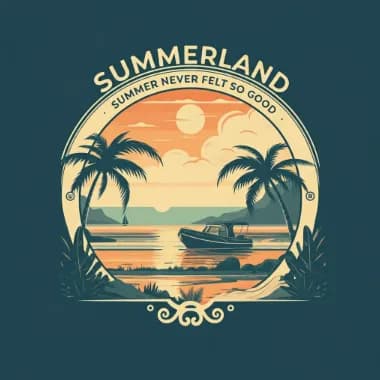
A poster with the text "Summerland" in bold font as a title, underneath this text is the slogan "Summer never felt so good"
- Say where it goes. Imagen tries to place text where you ask, though it may drift now and then. The feature keeps improving.
- Hint at the font style. Describe the general style of the lettering to nudge the model. Don't expect an exact font match, expect a creative take on it.
- Font size. Give a size or a rough label like small, medium or large to influence how big the text appears.
Parameterizing your prompt
When you work with the Imagen API or the Vertex AI SDK for Python, turning parts of the prompt into parameters gives you more control over the output. Say you want customers to create logos for their businesses, always on a solid background, and you want them to pick options from a fixed menu.
A parameterized prompt for that case could look like this:
A {logo_style} logo for a {company_area} company on a solid color background. Include the text {company_name}.
In your interface, the customer picks values from the menus, and those values are dropped into the prompt that Imagen receives.
For example:
A minimalist logo for a health care company on a solid color background. Include the text Journey.
A modern logo for a software company on a solid color background. Include the text Silo.
A traditional logo for a baking company on a solid color background. Include the text Seed.
Style: photography
Prompt includes: "A photo of..."
To get this look, open with words that tell the model plainly that you want a photograph. Starting the prompt with "A photo of..." does the job. For example:
A photo of coffee beans in a kitchen on a wooden surface
A photo of a chocolate bar on a kitchen counter
A photo of a modern building with water in the background
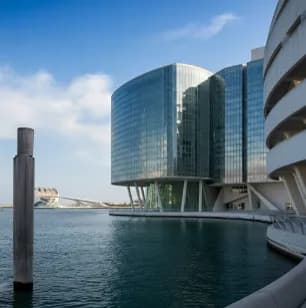
Image credit: each image was generated by Imagen 3 from the prompt shown with it.
Style: illustration and art
Prompt includes: "A painting of...", "A sketch of..."
Art styles cover a huge range, from monochrome pencil sketches to hyperrealistic digital art. The images in Google's guide all come from one prompt rendered in different styles:
An [art style or creation technique] of an angular sporty electric sedan with skyscrapers in the background
- A technical pencil drawing of an angular sporty electric sedan...
- A charcoal drawing of an angular sporty electric sedan...
- A color pencil drawing of an angular sporty electric sedan...
- A pastel painting of an angular sporty electric sedan...
- A digital art of an angular sporty electric sedan...
- An art deco style poster of an angular sporty electric sedan...
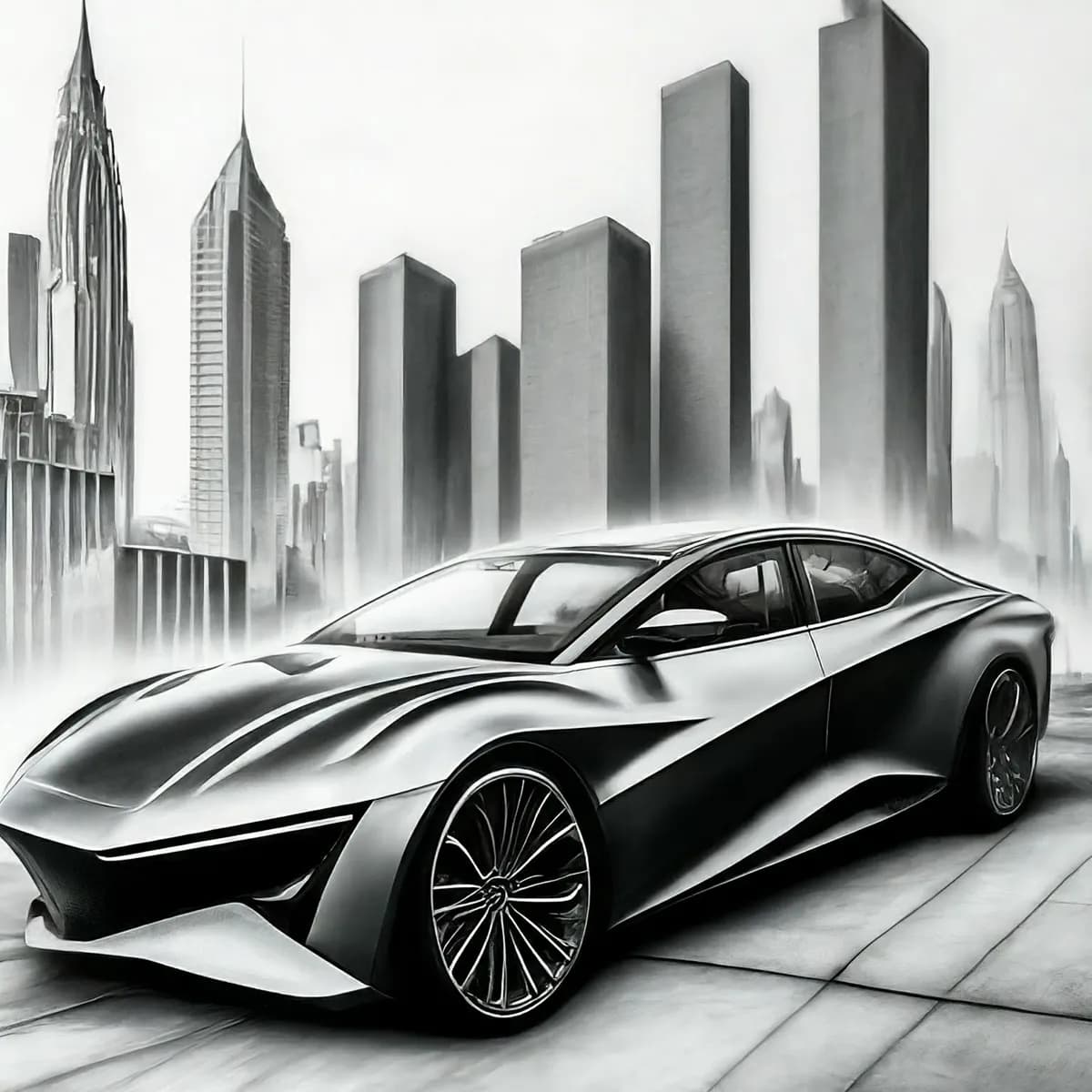
Image credit: each image was generated by Imagen 2 from the prompt shown with it.
Advanced prompt writing techniques
The examples below show how to make a prompt more precise with attributes: photography terms, shapes and materials, historical art movements and quality modifiers.
Photography modifiers
Here are some modifiers and settings that belong specifically to photography.
Camera proximity: close-up, taken from far away
A close-up photo of coffee beans
A zoomed out photo of a small bag of coffee beans in a messy kitchen
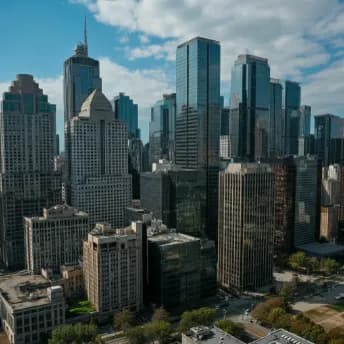
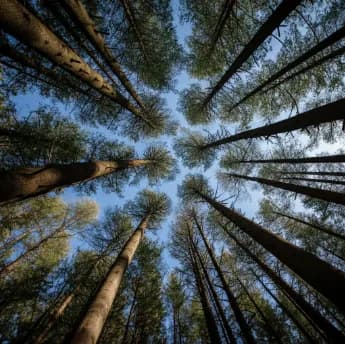
Camera position: aerial, from below
Aerial photo of urban city with skyscrapers
A photo of a forest canopy with blue skies from below
Lighting: natural, dramatic, warm, cold
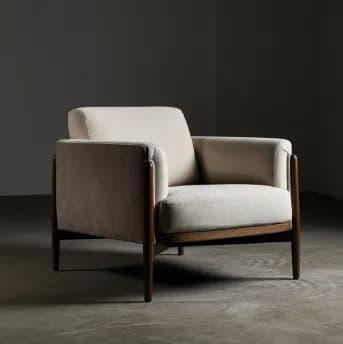
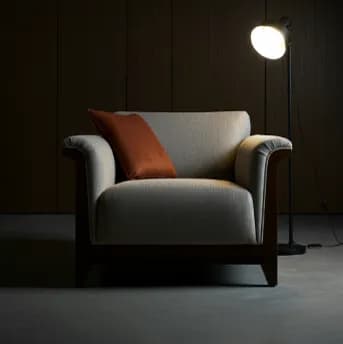
Studio photo of a modern arm chair, natural lighting
Studio photo of a modern arm chair, dramatic lighting
Camera settings: motion blur, soft focus, bokeh, portrait mode
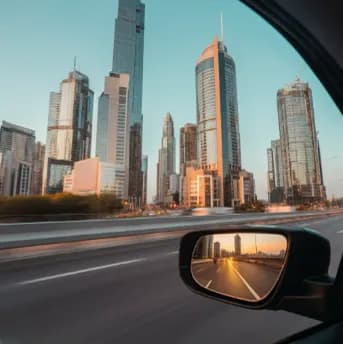
Photo of a city with skyscrapers from the inside of a car with motion blur
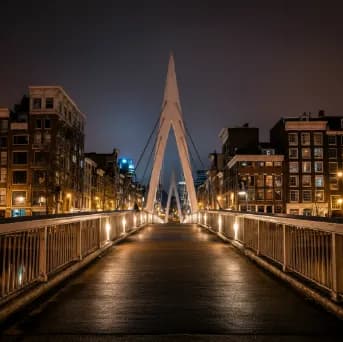
Soft focus photograph of a bridge in an urban city at night
Lens types: 35mm, 50mm, fisheye, wide angle, macro
Photo of a leaf, macro lens
Street photography, New York City, fisheye lens
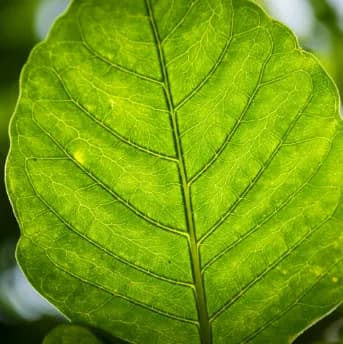
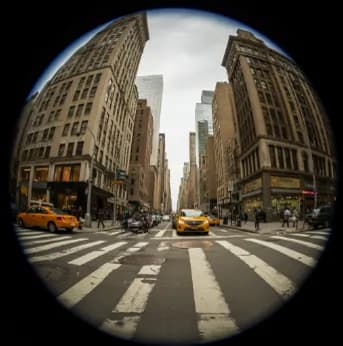
Film types: black and white, Polaroid
A Polaroid portrait of a dog wearing sunglasses
Black and white photo of a dog wearing sunglasses
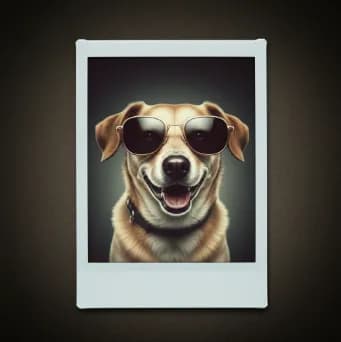
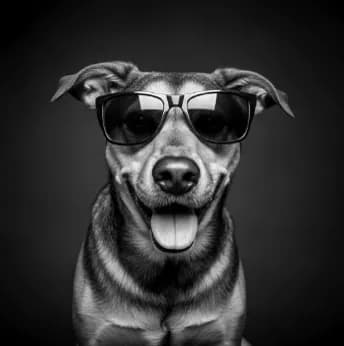
Image credit: each image was generated by Imagen 3 from the prompt shown with it.
Shapes and materials
Prompt includes: "...made of...", "...in the shape of..."
One of the strengths of this technology is that it can produce images that would be hard or impossible to shoot for real. You could, for instance, recreate a company logo in all kinds of materials and textures.
A duffle bag made of cheese
Neon tubes in the shape of a bird
An armchair made of paper, studio photo, origami style
Image credit: each image was generated by Imagen 3 from the prompt shown with it.
Historical art references
Prompt includes: "...in the style of..."
Some styles have become iconic over the years. Here are a few historical painting and art styles worth trying.
Generate an image in the style of [art period or movement]: a wind farm
Generate an image in the style of an impressionist painting: a wind farm
Generate an image in the style of a renaissance painting: a wind farm
Generate an image in the style of pop art: a wind farm
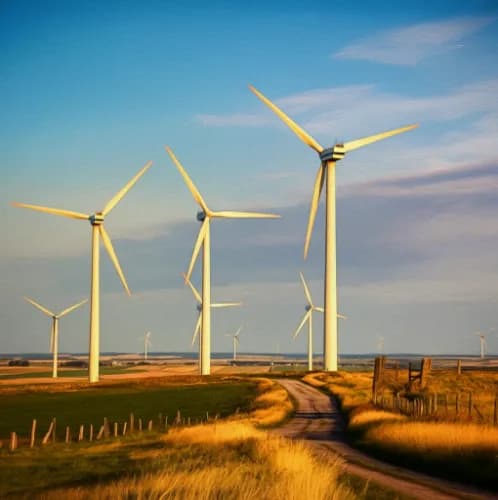
Image credit: each image was generated by Imagen 3 from the prompt shown with it.
Image quality modifiers
Certain keywords tell the model you are after a polished, high-quality result. Some examples:
- General: high-quality, beautiful, stylized
- Photos: 4K, HDR, studio photo
- Art and illustration: by a professional, detailed
Here is a prompt without quality modifiers and the same prompt with them.
A photo of a corn stalk
4K HDR beautiful photo of a corn stalk taken by a professional photographer
Image credit: each image was generated by Imagen 3 from the prompt shown with it.
Aspect ratios
Image generation in Imagen 3 offers five aspect ratios.
Square (1:1, default). The standard square photo, common for social media posts.
Fullscreen (4:3). A ratio long used in media and film, and the shape of most older non-widescreen TVs and of medium format cameras. It fits more of the scene horizontally than 1:1, which is why many photographers prefer it.
Close up of a musician's fingers playing the piano, black and white film, vintage (4:3 aspect ratio)
A professional studio photo of french fries for a high end restaurant, in the style of a food magazine (4:3 aspect ratio)
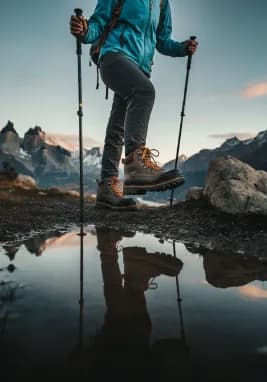
Portrait fullscreen (3:4). The fullscreen format turned 90 degrees. It fits more of the scene vertically than 1:1.
A woman hiking, close of her boots reflected in a puddle, large mountains in the background, in the style of an advertisement, dramatic angles (3:4 aspect ratio)
Aerial shot of a river flowing up a mystical valley (3:4 aspect ratio)
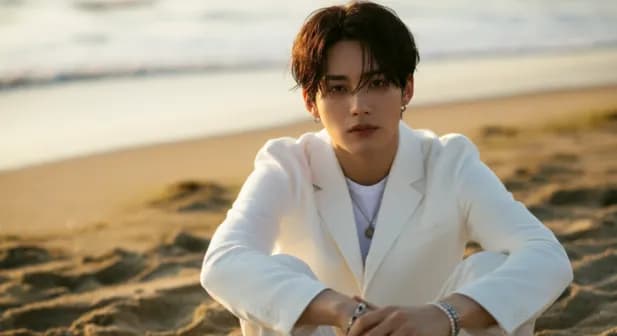
Widescreen (16:9). This ratio replaced 4:3 and is now the most common one for TVs, monitors and phones held sideways. Reach for it when you want to capture more of the background, as in sweeping landscapes.
A man wearing all white clothing sitting on the beach, close up, golden hour lighting (16:9 aspect ratio)
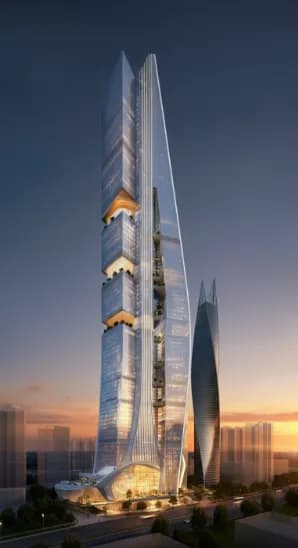
Portrait (9:16). Widescreen flipped on its side. It is a relatively new ratio, made popular by short video apps such as YouTube Shorts. Use it for tall subjects with a strong vertical line: buildings, trees, waterfalls and the like.
A digital render of a massive skyscraper, modern, grand, epic with a beautiful sunset in the background (9:16 aspect ratio)
Negative prompts
Everything above is about what you want Imagen to produce. Alongside the main prompt you can also pass a negative prompt, both when generating and when editing images. It is a strong tool for listing what should stay out of the picture. Just describe the things you don't want.
- Do: name the unwanted elements directly, for example "wall, frame".
- Don't: phrase it as an instruction or use words like "no" or "don't", for example "no walls" or "don't show walls".
Generate an image of a 4K video game concept art, urban jungle, cyberpunk city, detailed render
Prompt: Generate an image of a 4K video game concept art, urban jungle, cyberpunk city, detailed render Negative prompt: greenery, plants, forest, trees
Generate an image of an illustration of a mythical wyvern flying over mountains
Prompt: Generate an image of an illustration of a mythical wyvern flying over mountains Negative prompt: snow, frost
Photorealistic images
Different versions of the image generation model can return a mix of artistic and photorealistic output. To push the result toward photorealism, use the wording below that fits what you are making.
Note. Treat these keywords as general guidance for photorealistic images. You don't need all of them to get there.
| Use case | Lens type | Focal length | Additional details |
|---|---|---|---|
| People (portraits) | Prime, zoom | 24 to 35 mm | Black and white film, film noir, depth of field, duotone (name two colors) |
| Food, insects, plants (objects, still life) | Macro | 60 to 105 mm | High detail, precise focusing, controlled lighting |
| Sports, wildlife (motion) | Telephoto zoom | 100 to 400 mm | Fast shutter speed, action or movement tracking |
| Astronomy, landscape (wide angle) | Wide angle | 10 to 24 mm | Long exposure, sharp focus, smooth water or clouds |
Portraits. Use case: people. Lens: prime or zoom, 24 to 35 mm. Details: black and white film, film noir, depth of field, duotone with two named colors.
With a few keywords from the table, Imagen can produce portraits like these.
A woman, 35mm portrait, blue and grey duotones
A woman, 35mm portrait, film noir
Model: Imagen 3 (imagen-3.0-generate-002).
Objects. Use case: food, insects, plants, still life. Lens: macro, 60 to 105 mm. Details: high detail, precise focusing, controlled lighting.
With a few keywords from the table, Imagen can produce object shots like these.
Leaf of a prayer plant, macro lens, 60mm
A plate of pasta, 100mm macro lens
Model: Imagen 3 (imagen-3.0-generate-002).
Motion. Use case: sports, wildlife. Lens: telephoto zoom, 100 to 400 mm. Details: fast shutter speed, action or movement tracking.
With a few keywords from the table, Imagen can produce motion shots like these.
A winning touchdown, fast shutter speed, movement tracking
A deer running in the forest, fast shutter speed, movement tracking
Model: Imagen 3 (imagen-3.0-generate-002).
Wide angle. Use case: astronomy, landscape. Lens: wide angle, 10 to 24 mm. Details: long exposure, sharp focus, smooth water or clouds.
With a few keywords from the table, Imagen can produce wide angle shots like these.
An expansive mountain range, landscape wide angle 10mm
A photo of the moon, astro photography, wide angle 10mm
Model: Imagen 3 (imagen-3.0-generate-002).
What's next
More reading on Imagen and other generative AI products on Vertex AI:
- A developer's guide to getting started with Imagen 3 on Vertex AI
- New generative media models and tools, built with and for creators
- New in Gemini: custom Gems and improved image generation with Imagen 3
- Google DeepMind: Imagen 3, our highest quality text-to-image model
How to use these tips in Solistra
This section is added by Solistra and is not part of Google's guide.
- The subject, context and style formula works with any model in the Image section. For more on building a prompt, see our guide to prompt basics.
- In Solistra you set the aspect ratio in the model settings, so you usually don't need to write it into the prompt.
- Not every model accepts a separate negative prompt, it depends on the developer's documentation. If yours doesn't, describe what you do want instead: "a clear blue sky" rather than "no clouds".
- Keep on-image text short and put it in quotes. More on that in our guide to text in images.
- Lighting, lenses and camera angles are covered in depth in our guide to light and camera.
The cost in credits shows on the run button before you start a generation.
Try it in Solistra
Sources and licenses
- Prompt and image attribute guide — Generative AI on Vertex AI — Google LLC — CC BY 4.0
- Text
- Adapted from «Prompt and image attribute guide» — Google LLC · CC BY 4.0. An English adaptation by Solistra, written in our own words from the version of the original dated October 26, 2026. It keeps the section order, facts, parameters and examples, while the wording is new. Short example prompts follow the original. Omitted are the site navigation, the feedback form, the link to the model card in the Google Cloud console and some of the illustrations. The repeated table rows in the photorealism subsections are condensed into a single line of text. Added are an editor's note at the start and a section on using the advice in Solistra at the end.
- Images
Prompt diagram with the subject, context and style highlighted — Google LLC · source · CC BY 4.0 — Resized and converted to WebP
Lakeside park generated from a short prompt — Google LLC · source · CC BY 4.0 — Converted to WebP
The same park generated from a medium-length prompt — Google LLC · source · CC BY 4.0 — Converted to WebP
The same park generated from a detailed prompt — Google LLC · source · CC BY 4.0 — Converted to WebP
Poster with the word Summerland as an example of text in an image — Google LLC · source · CC BY 4.0 — Converted to WebP
Photo of a modern building by the water — Google LLC · source · CC BY 4.0 — Converted to WebP
Pencil sketch of an electric sports sedan against skyscrapers — Google LLC · source · CC BY 4.0 — Resized and converted to WebP
City with skyscrapers seen from the air — Google LLC · source · CC BY 4.0 — Converted to WebP
Tree canopy shot from below against the sky — Google LLC · source · CC BY 4.0 — Converted to WebP
Armchair in a room under soft natural light — Google LLC · source · CC BY 4.0 — Converted to WebP
The same armchair under dramatic directional light — Google LLC · source · CC BY 4.0 — Converted to WebP
City seen from inside a car with motion blur — Google LLC · source · CC BY 4.0 — Converted to WebP
Bridge in the city at night in soft focus — Google LLC · source · CC BY 4.0 — Converted to WebP
Leaf shot up close through a macro lens — Google LLC · source · CC BY 4.0 — Converted to WebP
City street seen through a fisheye lens — Google LLC · source · CC BY 4.0 — Converted to WebP
Portrait of a dog in sunglasses in Polaroid style — Google LLC · source · CC BY 4.0 — Converted to WebP
Black and white portrait of a dog in sunglasses — Google LLC · source · CC BY 4.0 — Converted to WebP
Wind farm in a field painted in an impressionist style — Google LLC · source · CC BY 4.0 — Converted to WebP
Vertical 3:4 frame of hiking boots reflected in a puddle — Google LLC · source · CC BY 4.0 — Converted to WebP
Horizontal 16:9 frame of a man in white on a beach — Google LLC · source · CC BY 4.0 — Converted to WebP
Vertical 9:16 frame of a skyscraper at sunset — Google LLC · source · CC BY 4.0 — Converted to WebP
Other images — Solistra image
- Checked
- November 17, 2026