Images
Edit photos with AI
The photo editor in Solistra lets you change a picture with a plain sentence: the model swaps clothes, background, light or time of day, extends the frame and merges several photos into one. It suits anyone who wants to fix a shot quickly without manual retouching.
Edit a photo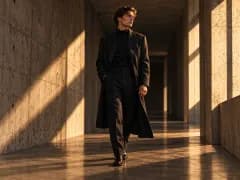
Photo editor
Edit with one sentence
Write “remove the people in the background” or “make it evening” and the model changes what you asked for.
Change clothes
Describe a new outfit in words or attach a photo of the item as a reference.
Extend the frame
The model paints beyond the borders so you can make a photo vertical or square without cropping.
Merge photos
Combine a person, a product and a background from different shots. Nano Banana Pro accepts up to 8 references.
Editing models
Flux Kontext Max, GPT Image, Kling O1 and Nano Banana edit photos from a description.
How it works
- 01
Upload a photo
- 02
Write what to change
- 03
Pick a model and check the price
- 04
Download the result or keep editing
Who it is for
- Trying on outfits on your own photo
- New background or time of day
- Vertical version of a horizontal shot
- Collage from several photos
- Preparing product card photos
Frequently asked questions
How is prompt editing different from generating from scratch?
When editing, the model receives your photo and changes the described part while trying to keep the face, pose and composition. Generating from scratch creates the image from text only.
Can I change clothes using a photo of the item?
Yes. Attach the item as a reference and describe who should wear it. Models with multiple references, such as Nano Banana Pro, work best.
Can I edit photos of other people?
Only with their consent. The rules forbid images of real people without consent, and moderation checks both the prompt and the result.