Contents
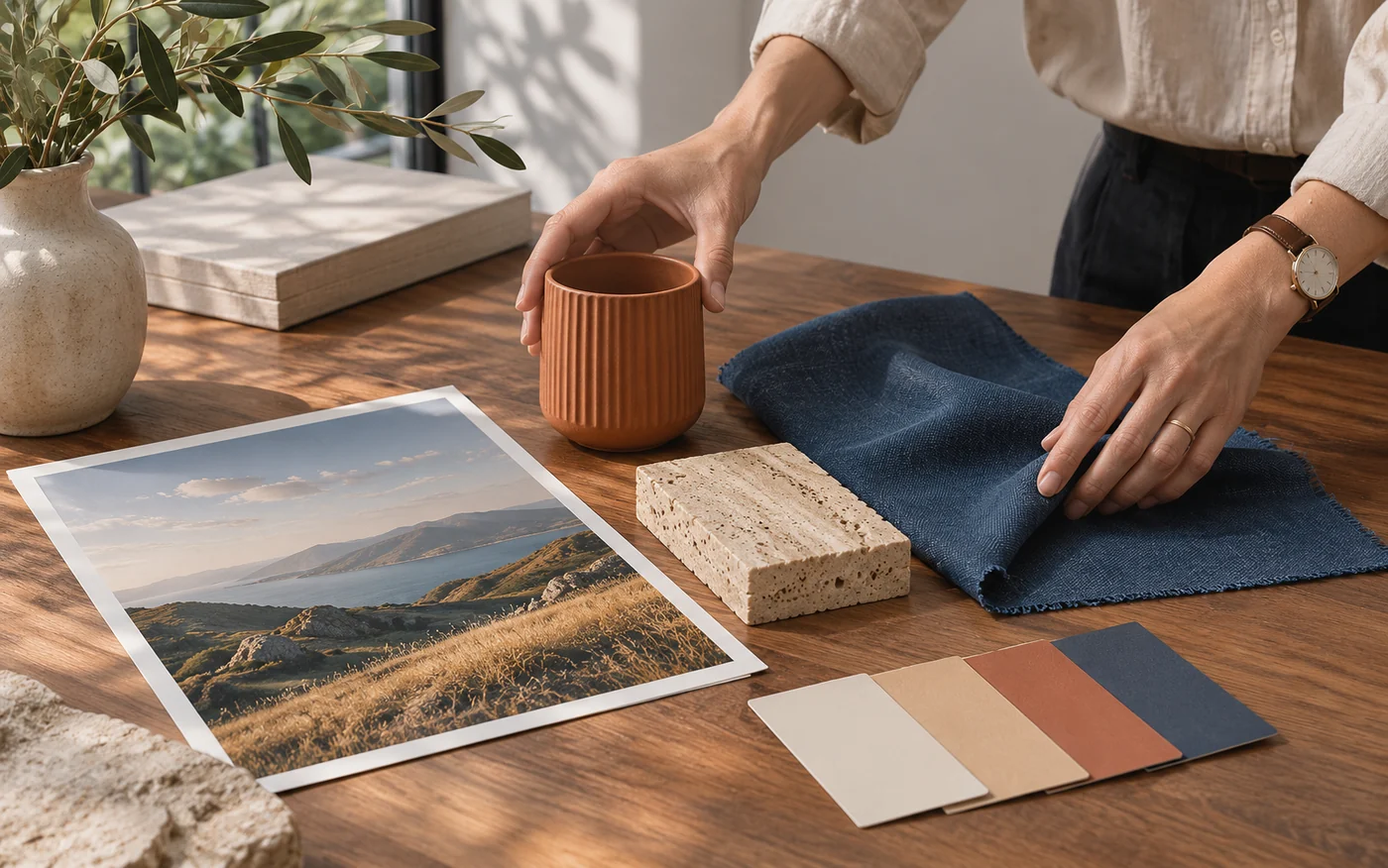
Sometimes it's easier to show a picture than to describe it. The palette of an old film, the fit of a coat, the arrangement of objects on a table or a specific person's face are hard to put into words but easy to convey with one image. That image is called a reference.
Kling's guide compares it to a school assignment: when the teacher shows you a sample, you draw something similar instead of whatever comes to mind. Let's look at what exactly you can take from a reference, how to tell the model about it and how to work with several images at once.
What you can take from a reference
The same reference can give the model different things. That's why it matters to say in the prompt exactly what you want to take from it.
| Role | What it carries over | How to say it in the prompt |
|---|---|---|
| Object or person | Appearance, shape, recognizable features | "the woman from the first photo, keep her facial features" |
| Clothing and objects | Cut, color, texture, details | "the coat from the second photo" |
| Place | Interior, landscape, background | "in the room from the third photo" |
| Style | Palette, technique, grain, light | "in the style of the fourth image" |
| Composition | Arrangement of objects, angle, shot size | "repeat the composition and angle of the first photo" |
The FLUX guide singles out the same roles and adds that one image can provide several things at once, such as a material and a background. If that's what you intend, name both roles.
One reference: style, subject or edit
With a single image, you usually solve one of three tasks.
- An edit. The image stays the same and one thing changes: the color of a jacket, the time of day, the background. FLUX advises naming the target so that only one object fits the description, saying what it turns into and listing the details that must be kept.
- Style transfer. The content is yours, the manner comes from the reference. The Gemini documentation suggests a template: keep the original composition and render it in a different technique with specific style features.
- A new scene with the same subject. The character or object from the reference ends up somewhere else. The key here is saying what to keep: facial features, shape, color.
Kling's interface has a reference strength slider for this: the higher it is, the closer the result stays to the image, and the lower, the closer to the text. In Solistra words do the same job. "Keep the composition and colors exactly" pulls toward the reference. "Take only the general mood" gives the model more freedom.
Several references in one frame
When there are several images, the model has to understand which one is responsible for what and how the parts relate to each other. Without that, it will mix everything together.
Refer to each image by its number and say what it contributes — FLUX guide
The rules that the FLUX, OpenAI and Gemini documentation agree on:
- Number them. First photo, second photo, third. Use the same words every time you mention them.
- Assign a role. Each image has its own job: character, clothing, place, style.
- Describe the relationships. Not just the parts, but how they connect: who stands where, who holds what, where the light comes from.
- Put the base first. In FLUX 3 Image, the frame's aspect ratio is taken from the first image by default, so it's better to attach the scene or the main photo first.
- Describe details you can't afford to lose in words. For faces and logos, the Gemini documentation advises describing the important features in detail alongside the instruction.
How many images a model accepts depends on the version. For example, according to Black Forest Labs' documentation, FLUX 3 Image accepts up to 10 images in one request, while the FLUX.2 [pro] API accepts up to 8. The Gemini documentation counts object, character and style images separately and gives its own limits for each version. The Solistra prompt bar will tell you if there are too many attachments.
How to prepare references
- Sharp and well lit. A blurry or dark image carries fewer features.
- Nothing extra. If the photo with the jacket also has three other people in it, the model may pick one of them. Crop it down to what you need.
- Similar light. If the character was shot at a warm sunset and the place at a cold noon, write what the final light should be.
- Different roles, different images. Don't try to take both the style and the person from one shot if you want someone else's style.
- Your own rights. Use photos you have the rights to, and people only with their consent.
Prompt examples
Repaint the first photo in the style of the second image: the same composition and poses, but the brushstrokes, palette and grain of the second. Warm ochre shadows, soft edges, the feel of an old painting.
The woman from the first photo sits on the windowsill in the room from the second photo, looking out the window. Keep her facial features, hairstyle and clothing from the first photo. Daylight from the window on the left, as in the second photo, medium shot.
The person from the first photo wearing the coat from the second photo. The coat keeps its cut, color and buttons and fits the figure. Pose, face and background from the first photo unchanged, soft diffused light.
Repeat the composition and angle of the first photo: the camera slightly low, the subject in the right third of the frame, empty sky on the left. But instead of a man on a cliff, a young woman in a red jacket on a rooftop, with the evening city below.
The couple from the first photo sit at a table on the terrace from the second photo, with the sea view from the third photo beyond the railing. The man on the left, the woman on the right, both laughing. Warm sunset light from behind, medium shot at eye level.
Using this photo, change only the color of the scarf to dark green. Leave everything else as it is: the face, coat, background, lighting and composition.
Common mistakes
- No role given. "Combine these photos" leaves the model guessing who the character is and what the background is. Write each image's role.
- Different words for the same image. "The first photo", then "the photo with the woman", then "the source" confuse the model. Stick to one label.
- Not saying what to keep. Without it, the model may take only the mood from the reference and draw a new person.
- Clashing light. A character and a place with different lighting and no clarification give you a collage. Describe the final light.
- A model without image support. If the model works with text only, the attachments have to be removed, and Solistra will tell you so before you run it.
- Too many attachments just in case. Extra images blur the task. Attach only what really needs to be in the frame.
How to try it in Solistra
Open Multi Reference in Image («Фото») and attach images with the «+» button in the prompt bar. You can turn a finished result from the feed into a reference through its menu, using As reference («Как референс»). Files are uploaded to Solistra's storage, and the server strips the photos' metadata. The cost shows on the run button before you press it.
For a series of shots with one character, read the guide on keeping one character across shots, and for using a drawing as a hint, the guide on sketches.
Try it in Solistra
This model is not in the catalog right now. The tips work for other models too
Open ImageYou can try
Sources and licenses
- FLUX — Editing with multiple references — Black Forest Labs
- FLUX — Editing with a single reference image — Black Forest Labs
- FLUX — Unified prompting reference — Black Forest Labs
- Kling — How to use an image reference — Kling AI
- Gemini API — Image generation and editing — Google — CC BY 4.0
- OpenAI — Image prompting — OpenAI
- Text
- Solistra text. Our own wording and prompt examples, quotes under 15 words
- Images
Other images — Solistra image
- Checked
- November 12, 2026