Contents
- What makes a loop seamless
- Action loops: one full cycle
- A turntable revolution
- A pendulum and the turning point
- Water loops: ripples, shoreline and reflections
- Smoke, steam and particles: constant density
- Video textures for backgrounds: the seam in space and time
- Where to put the seam and how to join it
- How to check the result
- Common mistakes
- Frequently asked questions
- Sources and licenses
Loops are for website backgrounds, intros, product displays and pauses in a presentation: the clip repeats as many times as you like, and the viewer never notices where it starts over. A video model doesn't know the clip will be looped, so seamlessness has to be built into the prompt and finished in the Video editor («Монтаж»). This guide covers which kinds of motion suit a cycle, how a water loop differs from a smoke loop, why a video texture needs a separate check at its edges and how to find the seam before the viewer does.
What makes a loop seamless
At the joint between the last and first frame, three things have to match. The first is shape: the object's position, the silhouette of a wave, the area covered by smoke. The second is the direction and visible speed of motion: a pendulum that swings right at the end and left at the start will jerk even if the pose is identical. The third is brightness: a flash of reflection or a one-frame darkening of the background gives away the restart more than any geometry does.
A background texture adds a fourth check. The seam in time and the seam in space behave independently: a tile can repeat perfectly over time and still produce vertical stripes when copies of it are laid side by side.
| Loop type | What has to match at the seam | Main risk |
|---|---|---|
| Repeated action | Pose, direction and speed | An extra pause or a backward step |
| Water | Shape of the near ripples, the shoreline, reflection brightness | Waves flowing backward, a double outline |
| Smoke, steam, particles | Density, area and average brightness | Smoke building up, a flickering background |
| Video texture | The pattern at the edges in every frame | Stripes across the grid of copies, a repeated spot |
A general rule for every type: whatever isn't supposed to move should stay still. A locked camera, fixed light and a stable landmark in the frame give the model fewer reasons to drift and give the editor a clear reference point. Runway's and Google's video prompting guides advise describing camera movement separately and explicitly, so for a loop, write locked camera or static view outright. There's more on the static camera and its alternatives in the guide on camera movements.
Action loops: one full cycle
For looping, pick an action that brings the object back to its starting position on its own. The simplest example is a single turn of a turntable. A landmark on the object, such as a figurine's profile or a vase handle, is visible in the first frame and appears again by the end.
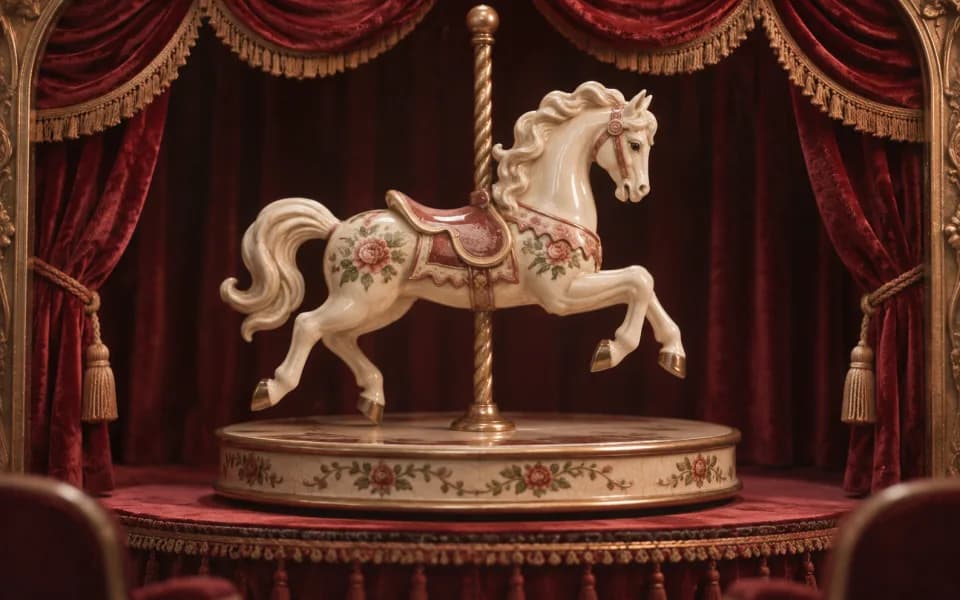
A turntable revolution
Set the same light and angle, ask for exactly one revolution and name the starting orientation up front. A phrase like "returning to its opening side profile" helps the model understand where to stop. In the edit, look for a matching pose on both sides of the seam, and trim the repeated frame if it creates a pause.
Locked camera on a ceramic carousel horse figurine standing on a small turntable. The turntable completes one smooth full revolution at a steady speed, returning the horse to its opening side profile. The lighting and background stay fixed.
The most common problem with this kind of loop is a slowdown before the seam. Models love to ease the motion gracefully toward the end, and then even matching frames jerk: the speed drops and then picks up again after the seam. Check the orientation two frames before the seam and two frames after. If there's braking, don't speed up the whole clip. Find another part of the cycle where the speed is even, and put the seam there.
A pendulum and the turning point
A pendulum, a swing or a steadily nodding toy shows a different difficulty. The same position occurs twice in the cycle, but in opposite directions. If you join a frame where the pendulum moves right with a frame where it moves left through the same point, you get a jerk that doesn't show when you compare two freeze frames.
Prepare a source frame where the pendulum has already started moving toward one side. Mark the extreme points and the middle. Then compare two seam options. Passing through the middle, the speed is at its highest, matching the pose matters most, and a one-frame error is noticeable. Near the turning point, the speed is almost zero, but it's easy to double the pause and get a hang. Keep both edit points and choose the one that holds up over three repeats in a row.
A brass pendulum swings through a steady repeating arc under soft warm light. Locked shot. The pivot and the dark background remain fixed. Show one full smooth cycle without an extra hold at either turn.
If the pendulum jumps back, compare the direction before and after the boundary. If it hangs at the seam, check whether the same frame has been repeated twice. When you need truly precise mechanics, generate the static background separately and animate the object itself as a separate layer in the edit.
Water loops: ripples, shoreline and reflections
Water repeats its overall pattern, but individual waves never match exactly. So a water loop rests on two supports. Everything solid in the frame stays still: the shore, a rock, a pier post, the waterline. And the seam point is chosen by the shape of the rings or crests closest to the viewer.
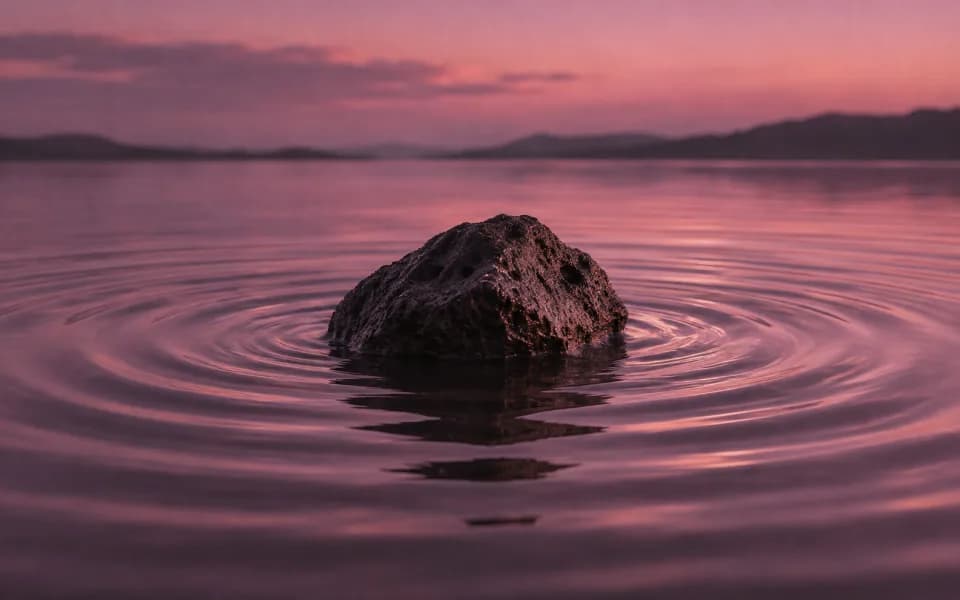
In the prompt, ask for gentle waves of one amplitude from a single source in an even rhythm. Describing the source and direction matters: the model holds a scene better when it's clear where the ripples come from and what in the frame stays still.
Static view of a dark volcanic rock in still water. Soft ripples spread outward from the same point in a regular rhythm. The waterline, the rock and the camera stay fixed. Even overcast light.
Static waterside view of gentle ripples passing the same wooden pier post. The waterline and the post stay fixed. Reflections shift softly at an even brightness, suitable for a repeating clip.
In the edit, find moments with a similar ripple shape. A short crossfade is fine if the brightness at the two points matches. A crossfade that's too long creates double outlines, and they're most visible where the waves are bigger, usually in the foreground. So check the near and far ripples separately: the far ones forgive a lot, the near ones don't.
Keep a separate eye on reflections. If there's a bright highlight at one edge of the frame, its brightness can't change sharply at the seam. Find a stretch where the reflection is calm, or move the seam to a smoother part of the clip.
A tempting trick is to join the clip with a reversed copy of itself. For water it's almost always a bad idea: played backward, the waves start converging on their source, and the viewer senses something is wrong without knowing why. If the water flows the other way at the end, reversing time won't save it. If a post or rock deforms along with the water, separate them: a static frame of the anchor and separate moving water. For a far shot, you can choose calmer motion with less contrast.
Smoke, steam and particles: constant density
A good smoke loop holds the same density and character of motion from start to finish. If the background is empty in the first frame and covered in smoke in the last, the seam will show a sharp change in transparency that no crossfade can mask.
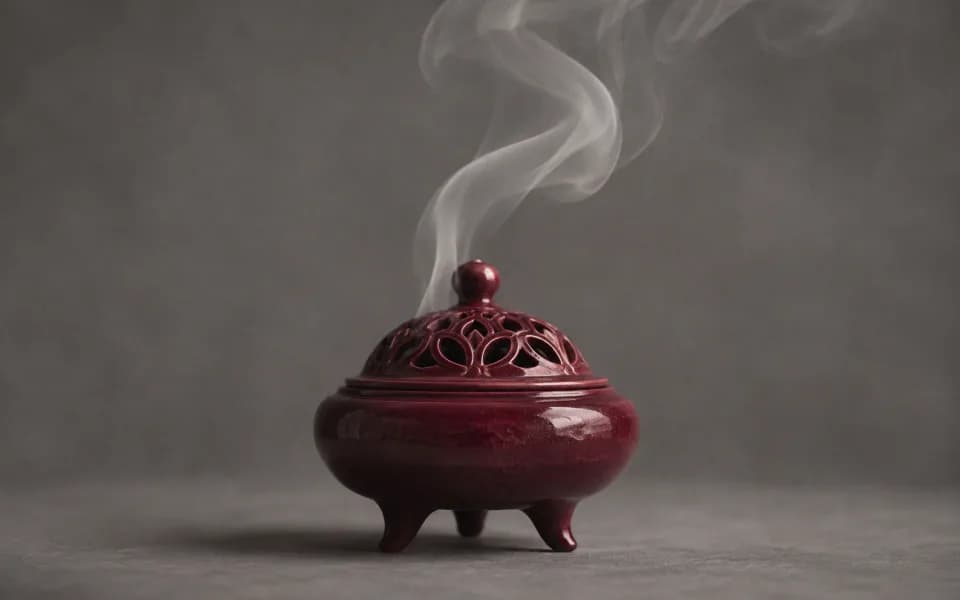
That gives three rules. Feed in a source with the plume already visible, not the moment of lighting. Set a stable intensity with the words constant density. Leave room above the source and ask for the smoke to dissipate near the top edge, or it will build up. Adobe's guide to Firefly video prompts advises describing motion and atmosphere specifically, and for smoke that means naming the direction, the bend and the moment it disappears.
A thin plume of smoke rises continuously from a fixed incense burner on a grey stone shelf. The plume bends gently to the right and dissipates before reaching the top of the frame. Constant density, fixed lighting, locked camera.
Particles in a beam of light follow the same logic. A frame that suddenly fills with dust motes gives the seam away at once, so choose a dark corner with a small number of light specks and ask for them to drift out of the beam.
A sparse stream of dust motes drifts steadily through a fixed side light in a dark attic, then fades outside the beam. Keep the background and camera still, with stable particle density from start to end.
When choosing a seam, compare the area and average brightness of the smoke at the two points. For particles, check two parts of the beam with different brightness: if the seam is visible only at the bright edge, pick the repeat point by that edge. A slight wobble in direction is fine as long as the motion after the seam doesn't look like it's flowing backward.
If the still background flickers along with the smoke, that's a separate problem. Lock the background with a separate source or use a clean plate, and add the smoke and particles on top as their own layer. That kind of composite gives you exact control over density and edges.
Video textures for backgrounds: the seam in space and time
A repeating video texture is what you need when a background fills a large area: a website, a stage screen, a backdrop for titles. Here the loop gets checked in two dimensions. In time, the last frame has to flow into the first. In space, the right edge of each copy has to continue into the left edge of the next, and the top into the bottom.
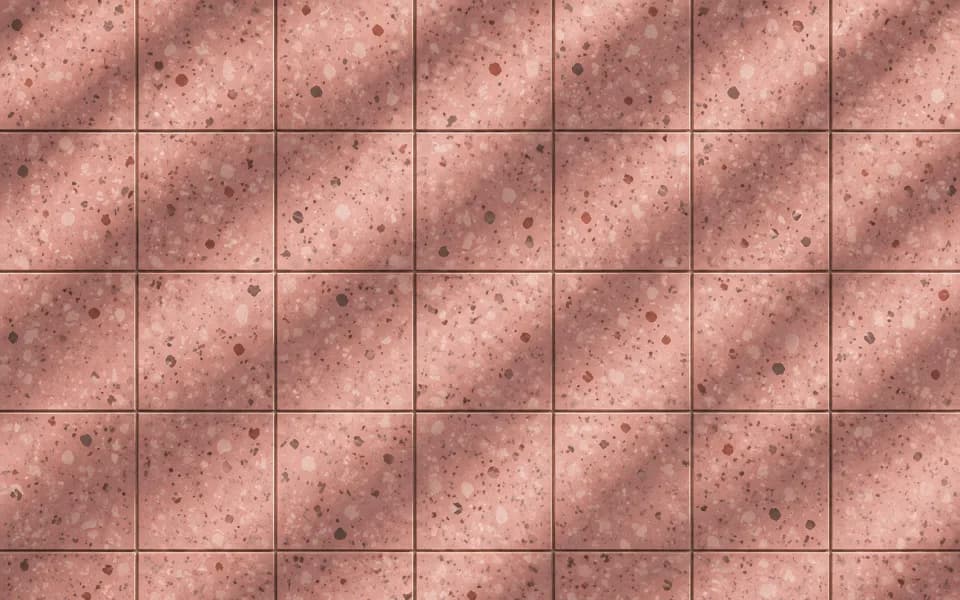
Start with a seamless static plate and preserve its geometry. Check the pattern in repetition rather than as a single tile: place several copies of the plate side by side in Photo Studio («Фотостудия»). For video, do the same by hand: arrange four copies of the tile in a square and check the inner cross.
Then animate only a soft change in light, with no camera movement and no change to the pattern itself.
Locked, flat top view of a repeating rose terrazzo surface. A very soft warm highlight drifts slowly across it. The pattern remains fixed and every stone fragment keeps its shape and position.
Flat view of a subtle grey plaster texture. A broad soft light sweeps across the surface while the plaster grain and the pattern remain unchanged. No camera movement.
The main catch: the model can change individual specks over the course of the clip. Then the edges match only in the first frame, and on a long background the joint shows up a few seconds in. Check the inner seams on the first, middle and last frames, horizontally and vertically. A separate problem sometimes shows only at the corner of the grid where four copies meet.
The second check is about the pattern as a whole. A recognizable spot or large speck turns into a grid that repeats at regular intervals when the texture is tiled, and it pulls the eye. It's better to remove a spot like that from the plate before animating.
A reliable way to assemble it: the spatial pattern stays static, and the lighting is animated with a separate mask over the whole filled background. Then no copy has its own lighting boundary, and the highlight moves smoothly across every seam. For backgrounds with room for text, see the guide on backgrounds for graphics.
Where to put the seam and how to join it
The loop length and the seam point are chosen on the timeline, not in the prompt. Put the clip on the timeline, mark the start, the key phase and the end, then look for the point where shape, direction and brightness match best. Compare options by phase of motion, not by time from the start of the file: two takes of a pendulum are easy to align on one extreme point.
| Joining method | When it fits | What to watch |
|---|---|---|
| Straight cut | An action with a clear cycle, a texture | Matching pose and direction across two frames |
| Short crossfade | Water, smoke, soft light | A double outline on large details |
| Moving the seam | A jump in brightness or shape | A calmer, lower contrast phase |
| Separate layer | The background flickers, precision is needed | Matching light between plate and layer |
A crossfade masks a brightness jump but adds a double outline. So first pick frames that are more alike, and only then smooth the transition. When the light differs a lot, it's better to choose a different range than to stretch the dissolve.
Leave a few frames of padding before and after the main action. That padding gives you a choice of where to join. If the clip is shorter than you need, read about extending a shot and a calm ending in the guide on shot length and pacing. When the loop is meant to start and end on the same frame, a first and last frame mode helps, covered in detail in the guide on first and last frames.
Sound in a loop is joined separately from the picture. A click at the audio boundary is more noticeable than a visible jump, so make a short audio transition on a separate track even if the picture is already clean. There's more on audio joins in the guide on sound in the edit.
How to check the result
On a single viewing, the eye easily misses a jump, especially if you know where it is. The check is built so you find the seam before the viewer does.
- Repeat the clip on the timeline three times in a row and play it with no marker and no time bar. If you notice a jerk, bring the marker back and figure out whether it falls on the boundary or within the clip itself.
- Toggle between the neighboring frames at the joint. Compare a high-contrast landmark with the frame edge, then look at two frames before and after the seam.
- Compare normal playback with frame-by-frame viewing. At speed you judge the rhythm; on individual frames you find the exact cause of a jump.
- Check the brightness on the highest contrast edge. For a loop of a candle flame or a lamp's glow, that's the edge of the flame or the rim of the lampshade.
- Listen to the audio seam separately, without the picture.
- Watch the joint on a phone and on a big screen. Water and fine ripples give themselves away differently at different sizes.
- For a texture, check the grid of four copies on the first, middle and last frames.
A single candle flame flickers gently at a steady intensity on a dark wooden table. The candle and camera remain motionless. Soft dark background, no change in exposure.
A loop is approved when three repeats play with no flash, no double edge and no audio click, and the joint can be found only by the marker's position. Write down the exact seam point and the range used: when the clip needs to be redone or extended, a good position is easier to restore by time and by a visible landmark. A detailed checklist for flicker and compression is in the guide on video quality checks.
Common mistakes
- The motion slows toward the end. The model eases the action before the end of the clip, and the seam jerks even with a matching pose. Look for a stretch with even speed.
- Same pose, different direction. The pendulum is at the same point but heading the other way. Compare not only freeze frames but also two frames after the seam.
- A doubled frame at the joint. The last and first frames are identical, and the loop hangs. Delete one of them.
- Reversing time for water. The waves start converging on the source. Look for a different seam instead of a reversed copy.
- A long crossfade. The brightness jump disappears, but double outlines of waves and edges appear.
- An empty start for smoke. The clip begins before the plume appears, and the transparency changes at the seam. Feed in a source with the smoke already visible.
- Checking a texture as a single tile. The pattern matches in the first frame, but by the middle of the clip the model has changed the specks. Check the grid at several phases.
- Forgetting the sound. The picture is clean, but there's a click at the boundary. Join the audio separately.
Frequently asked questions
How do I make a seamless loop from an AI video?
In the prompt, ask for one full motion that returns to its starting position, with a locked camera and constant light. Then, in the edit, find frames where shape, direction and brightness match, and join there. Check the result with three repeats in a row and no marker.
Can I loop a video by joining it with a reversed copy?
For symmetrical motion like a pendulum it sometimes works, but for water, smoke and fire almost never. Reverse playback makes waves converge on their source and smoke sink, and the viewer notices it looks unnatural. It's more reliable to find a joint with a similar phase.
Why is there a flash at the loop seam?
Most often the brightness of a reflection, a highlight or the background changes. Move the seam to a lower contrast phase or pick frames with similar brightness. A short crossfade helps, but a long one adds a double outline.
How do I make a repeating video background for a website?
Start with a static seamless tile, check four copies of it arranged in a square and animate only the light over the pattern. If the model changes the pattern itself, keep the tile still and add the passing light as a separate mask over the whole background.
What if smoke builds up in a loop?
Ask for the plume to dissipate near the top edge of the frame, and feed in a source where the smoke is already visible. If the density still grows, generate the plate separately and add the smoke as its own layer, so density is controlled in the edit.
Try it in Solistra
Sources and licenses
- Image to Video Prompting Guide — Runway
- Gen-4 Video Prompting Guide — Runway
- Text to Video Prompting Guide — Runway
- Stitch Videos — Runway
- Video generation prompt guide | Gemini Enterprise Agent Platform — Google Cloud
- Writing effective text prompts for video generation — Adobe
- Pattern Preview best practices in Photoshop — Adobe
- Create repeating patterns with Pattern Preview in Photoshop — Adobe
- What is continuity editing in film — Adobe
- Text
- Solistra text. Our own wording and prompt examples, quotes under 15 words
- Images
Other images — Solistra image
- Checked
- November 12, 2026