Contents
- How a model reads the camera
- A glossary of camera moves
- Angles and shot sizes
- A locked-off tripod shot
- One continuous shot with no cuts
- Parallax and depth in a lateral move
- A focus pull from near to far
- Revealing an object in one move
- A true overhead view
- Movement speed
- Combining moves
- Prompt examples
- How to check the result
- Common mistakes
- How to try it in Solistra
- Frequently asked questions
- Sources and licenses
Camera movement is what turns a set of pictures into a film. A dolly in pulls attention close, a dolly out opens up the space, an orbit makes the hero the center of the world, and a locked-off tripod forces you to watch the action itself. Video models understand these moves as long as you name them precisely and don't overload the prompt. This guide gives you a glossary of moves drawn from the official guides by Google, Kling, Alibaba, MiniMax, ByteDance, Black Forest Labs and Runway, walks through seven specific tasks from a fixed tripod to speed, and shows how to check that the camera did exactly what you asked.
How a model reads the camera
You describe the camera in a prompt in plain words. Nearly all the guides agree on a handful of rules.
- Subject and action first, camera second. Black Forest Labs recommends starting with who is doing what, then adding the shot size, movement and style around it.
- One move per shot. One shot size term, one movement term and one clear action for the subject. Five moves in a single sentence make the shot unreadable.
- You can leave the camera out. The model will then choose one itself. Add a move when it matters to the meaning.
- Speed and direction. "Slow dolly in" or "fast pan left" is clearer than just "dolly in."
- Start and end. Say where the camera begins and where it stops: "from a wide shot to an extreme close-up of the eyes."
The Kling website has a separate camera control tool with six basic moves and four preset combinations. In Solistra you set the camera through the prompt text, so the glossary below works with any model.
A glossary of camera moves
The terms below are the ones the developer guides use. Models also understand plain descriptions, but if the result comes out imprecise, add the standard term.
| Move | Term | What happens | When to use it |
|---|---|---|---|
| Static | static shot, locked-off | The camera doesn't move | Dialogue, a product, focus on the action in frame |
| Pan | pan | The camera turns left or right in place | Show the space, shift the viewer's gaze |
| Tilt | tilt | The camera tips up or down in place | Reveal height, move from a face to an object in someone's hands |
| Dolly in and dolly out | dolly in, dolly out | The camera physically moves closer or farther away | A dolly in heightens emotion, a dolly out shows scale |
| Lateral move | truck, lateral slide | The camera travels sideways, parallel to the scene | Follow a character, show depth through parallax |
| Rise and descent | pedestal | The camera moves up or down without tilting | Reveal a tall tree or building |
| Zoom | zoom | The focal length changes while the camera stays put | Draw attention to a detail |
| Crane | crane shot | The camera rises in an arc | A dramatic reveal of the scene from above |
| Drone | aerial shot, drone shot | A smooth flight at altitude | Landscape, city, road |
| Handheld | handheld | Lively, uneven motion | Documentary feel, a chase, tension |
| Whip pan | whip pan | A very fast turn with motion blur | A transition, a sudden shift of attention |
| Orbit | arc shot, orbit | The camera moves in an arc around the subject | A hero, a product, a key moment |
| Tracking | tracking shot | The camera follows a moving subject | Running, driving, walking |
| Vertigo effect | dolly zoom | A dolly in while zooming out, so the background seems to slide away | Shock, anxiety, realization |
| Rack focus | rack focus | The camera holds still while sharpness shifts between planes | Move the viewer's gaze from an object to a person |
The difference between a dolly in and a zoom matters. In a dolly in the camera travels and the perspective changes. In a zoom the camera stays where it is and only the magnification changes. Google's guide explains this difference separately.
Angles and shot sizes
Movement works together with where the camera sits. Google's Veo guide lists the main options.
- Eye level. A neutral, familiar point of view.
- Low angle. The subject looks strong and important. The extreme version, looking up from the ground, emphasizes height.
- High angle. The subject looks small or becomes part of a pattern. Straight down gives you a map-like view.
- Dutch angle. A tilted horizon conveys unease and energy.
- Shot sizes. Extreme close-up, close-up, medium shot from the waist up, full shot head to toe, and a long shot that includes the surroundings.
- Over the shoulder and point of view. For dialogue and full immersion.


A locked-off tripod shot
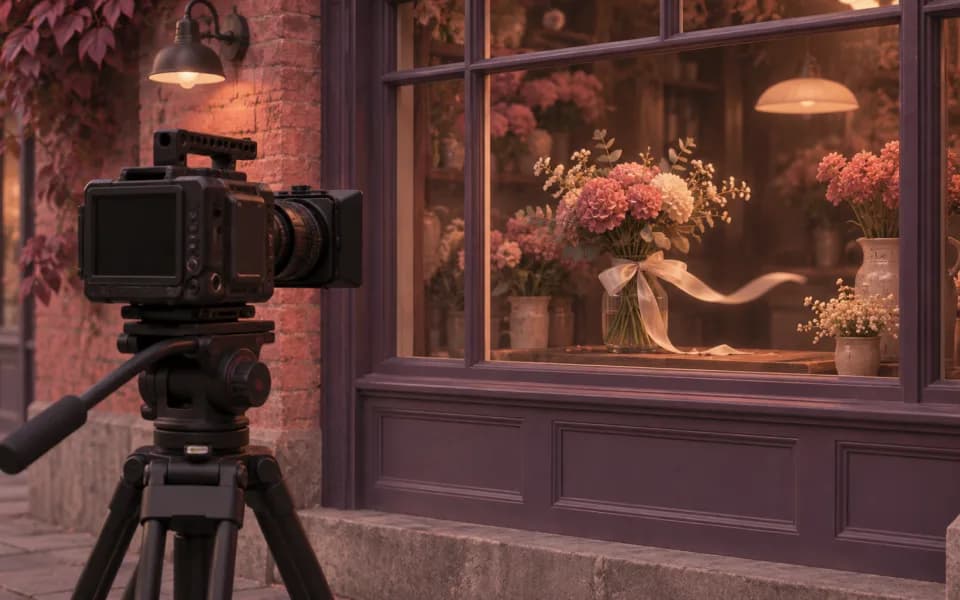
Sometimes a model adds a gentle push in even when the action is calm. A static shot is easier to hold and to check when the source image has hard reference points: the corners of a shop window, the seams of brickwork, the horizon. Give the camera its instruction in the very first sentence and immediately name the only movement in the frame. Drop any words about following the subject, because they tempt the camera to move.
Locked-off tripod shot. The ivory ribbon on the bouquet flutters gently. The shop window frame holds the same position and size throughout the shot.
The hardest case is an object that fills almost the whole width of the frame, since any change in scale shows up at once. For a teapot on a table, prepare a photo that shows the table edge and two corners of the window, and don't place the starting camera right up against the object.
Locked tripod shot of a ceramic teapot. Only thin steam moves upward through the window light and fades. The table edge, teapot and window corners stay fixed and keep their scale.
To tell a push in from a shift, measure the distance between the two window corners. If both corners moved by the same amount, that's camera drift, and a slight crop in the Video editor («Монтаж») will hide it as long as you have spare room at the edge. If the distance grew or the corners spread apart, the perspective changed, and you're better off making a new short take with less steam movement.
One continuous shot with no cuts
When a generation suddenly jumps to a different angle, it has usually been asked to fit more events than one shot can hold. Alibaba's guide plainly recommends keeping one continuous shot per clip, with no rapid scene changes. Set a starting point and a single path, name the landmark the camera travels to, and don't describe the next shot in the prompt. Prepare additional angles as separate clips.
One continuous dolly shot. The camera advances slowly along the center of the arcade, passing the first arch and stopping before the second. The far doorway stays in view.
The check is simple: each near column slides smoothly toward its own edge of the frame, and the far doorway stays visible from start to finish. A sudden jump in scale can look like the camera speeding up, but if the previous posts or a lamp vanish in the next frame and new landmarks appear, the angle has changed. Rebuild the clip with less travel. A hidden cut often gives itself away through a jump in the size of a distant object. If you need a wider shot, make it separately and cut on a pass by a door frame: the join hides behind a natural obstacle when the camera direction and height match.
One continuous dolly shot toward the workshop doorway. The right doorpost gradually moves out of frame and the lamp above the workbench stays visible. Stop at the threshold and hold.
Parallax and depth in a lateral move
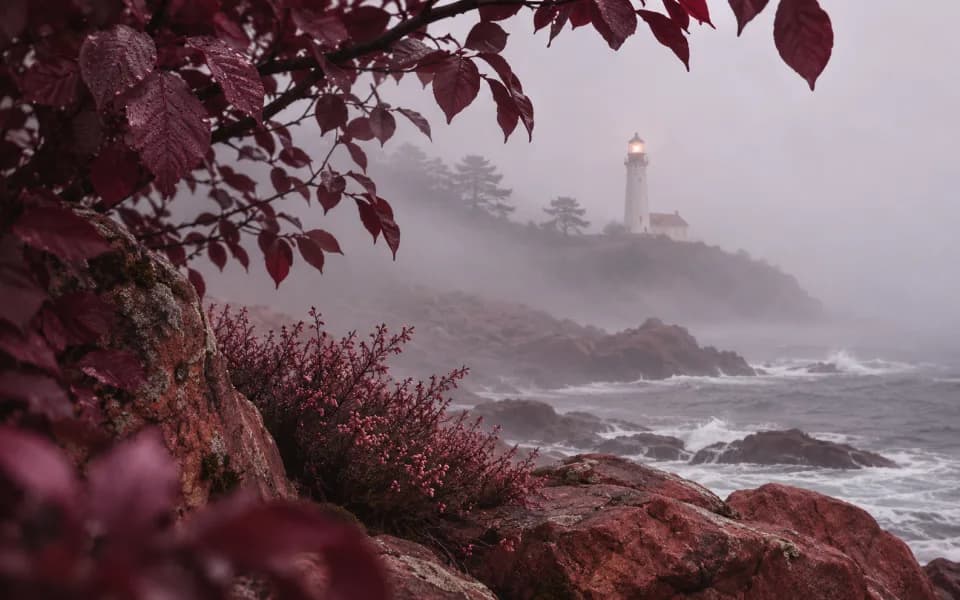
In a sideways move, nearby objects cross the frame faster than distant ones. That difference shows depth even in a short clip. Pick a source image with distinct foreground, midground and background layers, set a short move at a fixed height, and name the speed of each layer. Save the focus pull for a different take.
The camera slides slowly to the right at a fixed height. The close branches sweep left across the frame, the rocks shift slightly, and the distant lighthouse barely moves.
If all the layers slide together like a flat postcard, the model has shifted the whole photo: pick a stronger foreground and reduce the amplitude. If repeats appear along the edges of branches or fence bars, the camera has uncovered too large an area that has to be filled in. Shorten the path or start from a wider source image. Measure the shift against stationary layers, such as a bridge pier, not against the cars driving across it.
A focus pull from near to far
A rack focus guides attention between objects in the same frame while the camera holds still. Choose foreground and background objects that are easy to tell apart by shape, and make sure the outline of the second one already reads while it's out of focus. Name both in the order the focus shifts, keep the framing fixed and leave a pause after the transition.
Locked-off medium close-up of a glass knight in front of red chess pieces. Focus begins on the glass knight and shifts slowly to the red rook. Hold on the sharp rook.
If the pieces change size, the model has rendered a dolly in instead of a focus pull: remove any wording that sounds like moving closer. If both objects turn sharp at the same time, compare the background behind them, because sometimes the model simply sharpens the whole frame. For the reverse order, from a face to an object, give it a source image where the face is already sharp. Add exact text on labels as a separate layer, and judge fine detail before compression: in a downscaled version it disappears even without a focus shift.

Revealing an object in one move
A reveal has three readable parts: the object is hidden, becomes recognizable, and stays in the frame. If the camera, the fabric and the object all move at once, the viewer misses the moment it appears. Start with a single moving layer: either the curtain slides while the camera holds, or the camera passes a stationary panel.
The burgundy curtain slides smoothly to the left and reveals the ivory sculpture. The curtain settles at the edge of frame. The camera and the sculpture hold their positions.
Leave a small part of the object visible in the source image. A fully hidden object gets redrawn from scratch by the model, which may change it. If the fabric grows through the sculpture, separate the layers in the source image. Take two stills: the first visible fragment and the final frame. If they show the same detail, the reveal worked. You can feed a clean final frame as a second input to a model with a two-frame mode, which is covered in the guide to first and last frames.
A true overhead view
A shot from directly above shows what's in a set, how packaging opens and the order of steps. Plane geometry matters here: if a rectangular box already looks like a trapezoid in the source image, the model will push that tilt further and show a side wall. Prepare a photo where the edges of the table and the box are parallel, leave room for the lid, and set a single operation. You can nudge the lid aside by a finger's width beforehand so the hand has a simple action left to do.
True overhead locked camera above the table. A hand slides the coral box lid sideways to reveal the ivory cup. The table edges remain parallel to the frame. Hold after the lid stops.
After the movement, check the opposite sides of the box. A trapezoid in the final frame means an unwanted tilt, even if the overall scale seems unchanged. Sliding the lid sideways holds up better, while lifting it straight up exposes perspective errors faster. You can move the lid lift into a side shot and show the set in a separate overhead frame.
Movement speed
The word "slowly" depends on the scale of the action. Instead, give an observable reference: where a detail sits at the start, where it ends up, and where the motion slows down. For rotation, choose an object with a noticeable asymmetry.
A shallow nick starts on the left edge of the clay cup. The pottery wheel turns slowly until the nick faces the camera, then eases to a stop. The camera stays still.
For a cart on a slope, describe the start, the acceleration through the middle and the gentle slowdown before the stop. Judge the speed by the wheel axle at equal intervals, not by the blurred edge of the tire. The displacement should grow after the start and shrink before the stop. If the stop block moves too, fix the camera problem first.
Side view of a small cart rolling down a short ramp. It starts gently, accelerates slightly through the middle, then slows into the stop. Keep the camera fixed and hold after the cart settles.
Combining moves
- One after another, not all at once. "The camera slowly dollies in, then rises above the rooftops" reads better than three moves in one sentence.
- No more than three at the same time. In MiniMax's commands for Hailuo, simultaneous moves go inside the same brackets, and the developer recommends no more than three.
- A short orbit. Alibaba's guide recommends keeping the orbit arc under 45 degrees. A wider orbit risks distorting the space.
- Spell out rare terms. The Seedance guide recommends adding what exactly changes in the frame to any rare cinematography term: who stays sharp and how the background behaves.
- Handheld with a purpose. Say who it follows and how much it shakes.
- A dolly out needs surroundings. When you pull back to a wide shot, describe what will come into view, or the model has nothing to show.
Prompt examples
An elderly woman sits at a kitchen table reading a letter. The camera slowly dollies in from a medium shot to a close-up of her face, tears appear in her eyes, she presses the letter to her chest. Soft window light, warm tones.
Close-up: a ginger cat sleeps on a windowsill. The camera smoothly pulls back and rises, revealing a small attic room, then the view from the window over a snow-covered city. Morning light, calm pacing.
Leather watch with a dark dial lies on black stone. The camera orbits it along a short arc, a highlight glides across the glass, the hands move. Black background, top spotlight, shallow depth of field.
Drone shot: the camera flies low over a winding autumn mountain road, then smoothly rises to reveal a misty valley. Larch trees along the edges, soft diffused light.
Handheld camera runs behind a bicycle courier through a narrow alley, slight shake, his back stays centered. He turns sharply around a corner, the camera falls behind and catches up. Overcast day, wet cobblestones.
Dolly zoom: a young woman stands at the edge of a roof looking down. The camera dollies in while zooming out, her figure stays the same size while the city below seems to fall away. Wind in her hair, cold evening light.

How to check the result
Before generating, mark three things on the source image: a near corner, a distant landmark and where the subject sits at the start. After generating, overlay the first and last frames at half opacity and find the first frame where they diverge. That tells you whether the starting composition, too much travel or the end of the action is to blame. Then watch the clean clip at normal speed to see whether a viewer would notice the error.
| Technique | What to compare | Sign of failure |
|---|---|---|
| Tripod | Window frame, table edge | Verticals spread apart, the distance between corners grew |
| Single shot | Columns, far doorway | Old landmarks vanished, a jump in size |
| Parallax | Three stationary points on different layers | All layers shifted equally, repeats at the edges |
| Rack focus | The size of both objects | The objects grew, everything got sharper |
| Reveal | The first visible fragment and the final frame | A different detail at the end, fabric passed through the object |
| Overhead | Opposite sides of the box | A trapezoid, a side wall appeared |
| Speed | Wheel axle, a mark on the object | Blur grows without a change in position, a roll back |
Before editing, keep a couple of calm frames before and after the action. If the camera is static in one shot and moving in the next, the viewer will notice the change of scale at the cut, so decide in advance whether that change tells them something new.
Common mistakes
- Too many moves. "A low orbit with handheld camera, a dolly in and a drone" turns into chaos. Use one move per shot or a sequence joined with "then."
- Camera without action. A dolly in on an empty room with nothing happening looks random. Describe what's going on first.
- Mixing up dolly in and zoom. If you need a change in perspective, write about the camera moving. If you only need magnification, write about a zoom.
- Tracking words with a tripod. Phrases like "follows" or "keeps centered" make a static camera start moving.
- Describing the next shot. Planning a second angle in the same prompt leads to a cut inside the clip.
- A wide 360 degree orbit in a short clip. The space and the subject's face may distort. Start with a short arc.
- Contradicting the photo. Kling warns that a description very different from the image leads to a change of shot.
- No speed or direction. "The camera moves" says almost nothing. Be specific: slowly, forward, up, from and to.
How to try it in Solistra
Open Kling 3.0 in Video («Видео») and start with a single move, such as a slow dolly in or a tripod shot. If you want a camera command in square brackets, try Hailuo 2.3, with more detail in the guide to Hailuo. How the camera affects the motion of the subject and the background is covered in the guide to motion in AI video, and product orbits are covered in detail in the guide to product shots.
The full list of angles, lenses and effects is in our adaptation of Google's Veo prompt guide. For shot sizes in vertical format, read the guide to vertical videos.
Frequently asked questions
How do I keep the camera from moving in an AI video?
Start the prompt with the phrase locked-off tripod shot, name one movement inside the frame and state that the frame, table or horizon keeps its position and scale. Remove any words about following. A source image with hard reference points near the edges helps both the model and you when you check the result.
What's the difference between a dolly in and a zoom in a prompt?
In a dolly in the camera physically travels, so the perspective changes: the foreground grows faster than the background. In a zoom the camera stays put and only the magnification changes. Write dolly in if you need depth, and zoom if you need to bring a detail closer.
Why does my video jump to another angle in the middle of the clip?
Usually the prompt holds more events than fit into one shot, or the text differs a lot from the source photo. Keep one path with an end point, remove the description of the next shot and shorten the camera's travel.
How do I set the speed of movement in an AI video?
Instead of "slowly," describe the path: where the detail sits at the start, where it ends and where the motion slows down. The model holds an observable reference more accurately, and you can check the speed against that mark at equal intervals.
How do I get a rack focus in an AI video?
The camera has to stay still. Provide a source image with a sharp foreground object and a background object that's recognizable while blurred, name both in the order the focus shifts, and ask it to hold on the second one. If the objects grow, the model made a dolly in, so remove the wording about moving closer.
Sources and licenses
- Video generation prompt guide — camera movements and angles — Google Cloud — CC BY 4.0
- Camera Movement — camera control — Kuaishou, Kling AI
- Text to Video — the prompt formula — Kuaishou, Kling AI
- Examples and Cheatsheet — camera terms for video — Black Forest Labs
- Video generation prompt guide — camera language — Alibaba Cloud Model Studio
- Text to Video — camera commands — MiniMax
- Seedance 2.5 — prompt writing guide — ByteDance
- Image to Video Prompting Guide — Runway
- Camera Terms, Prompts, & Examples — Runway
- Camera Terms, Prompts, & Examples — Runway
- Creating with Gen-4 Video — Runway
- Gen-4 Video Prompting Guide — Runway
- Text to Video Prompting Guide — Runway
- Writing effective text prompts for video generation — Adobe
- Text
- Solistra text. Our own wording and prompt examples, quotes under 15 words
- Images
Other images — Solistra image
- Checked
- November 12, 2026