Contents
An AI that builds a 3D model from a photo repeats everything it sees: shape, pose and color, along with shadows, highlights, background and mistakes in the frame. A shadow under the object turns into a slab, a highlight becomes a white patch on the side, a bent leg stops the rig from fitting. So half the success in the 3D section is decided before you press Create («Создать»). This guide covers the source rules, a table of what gets in the way, poses for each rig type and ready prompts to draw a clean source in Image («Фото»).
Five rules for the source
- One object or hero, in full. Nothing cut off by the edge: ears, tail, paws, the top of the head, wingtips. Small margins around it. No second hero, hands, stand, furniture, text, frames or collages: everything in the frame becomes part of the model.
- A plain background. White or light gray, no pattern or gradient. Remove a busy background with background removal and use the cut-out PNG. Cutting out is covered in depth in the guide on background removal.
- Soft diffused light. No hard shadows, highlights or colored lighting. Shadows and highlights bake into the model's color and show from every side.
- The camera at mid height. No strong perspective: not from above, not from below, not with a wide lens up close. Distorted proportions carry into the shape.
- Sharpness and size. PNG, JPEG or WebP up to 20 MB. The section accepts 256 px per side and up, but in practice a good model needs at least 1K on the longer side, and 2K is better.
What gets in the way and what to use instead
Some materials and details are nearly impossible for the AI to read from a photo. The good news: almost each one has a substitute that looks similar and builds cleanly.
| Gets in the way | What happens | Substitute |
|---|---|---|
| Glass, clear plastic, water | The background shows through, the shape is lost | A matte opaque material in the same color |
| Mirror, chrome, reflective lacquer | Reflections turn into a pattern on the model | Matte metal, satin |
| Wire, thread, whiskers, spokes, thin legs | They break, vanish or turn into plates | Thicker details, whiskers painted as color |
| Fluffy hair and fur in a cloud | A shapeless lump | A tight gathered hairstyle, short smooth fur |
| Smoke, fire, steam | No solid shape | Remove them from the source |
| A cape, a long skirt, wide sleeves | Legs and arms fuse with the body | Fitted clothing, a short skirt, no cape |
| A shadow under the object | A dark patch or a slab under the model | Diffused light, the object shadowless on white |
A pose for animation
If the model is headed for Bring to life («Оживить»), the pose decides everything. The rig is placed by the shape of the mesh: joints are found by bends and gaps between body parts. Bent, crossed or tucked limbs fuse into one mass, bones land in the wrong place, and a ready motion breaks those joints. The section can't repose a finished model, so only the source sets the pose. The general rule: a neutral, symmetrical pose with straight limbs held apart, touching nothing.
| Rig type | Who | Pose in the source |
|---|---|---|
| Biped | People, humanoids, robots, dolls, standing animals | A-pose or T-pose, a gap between arms and body, open palms, feet shoulder-width apart, empty hands |
| Quadruped | Dogs, cats, foxes, horses, lizards | Standing on four straight legs held apart, tail back, head forward. Side and front views needed |
| Hexapod | Beetles, ants | Legs spread symmetrically, not crossed or tucked |
| Octopod | Spiders, scorpions | Legs fanned out, a scorpion's tail stretched back |
| Snake | Snakes, worms, a legless dragon | The body almost straight or in a gentle wave, no coils |
| Aquatic | Fish, dolphins, sharks, whales | A straight body, fins open and apart from the body |
| Bird | Birds | Wings spread out. The rig fits, but there are no ready motions |
A quadruped shouldn't sit, lie down or jump. A single front shot hides its hind legs, so add a side view too. What happens to the pose after the rig check and which motions each type gets is covered in the guide on 3D character animation.
A source in Image
If you don't have a suitable frame, it's easier to draw one. In Image, Nano Banana 2.1 is a good fit: Google says it accepts up to 14 reference images and outputs at 1K, 2K and 4K. For 3D, use square 1:1 at 2K. Attach your drawing, sketch or hero photo as a reference and describe the pose and shooting conditions in the prompt. How to use reference images is covered in the guide on references.
A character for a 3D model: an elderly watchmaker in a fitted vest and narrow trousers, a waist-length leather apron, round glasses, short gray hair. Standing full length in an A-pose: arms straight and held down and out from the body with a gap between arms and torso, palms open, fingers apart, legs straight and shoulder-width apart, looking straight ahead. Nothing in his hands. Straight front view, camera at chest height, no perspective. The whole character in frame with margins, plain white background, soft diffused light without shadows or highlights, no text.
An animal for a 3D model: a cartoon red fox with a white chest and black paws. Standing on all four straight legs, all paws touching the ground and visible separately, the tail stretched back and not touching the legs, the head raised and looking forward, mouth closed. Not sitting, not lying, not jumping. Straight side view, camera at body height, no perspective. The whole fox in frame with margins, plain white background, soft diffused light without shadows.
An object for 3D printing: a pencil holder shaped like a tree stump with three hollows. One solid object on a flat stable base, large clean bark shapes, no thin protruding details or separate parts, a single matte material. Three-quarter front view, camera at the middle of the object. The whole object in frame with margins, plain white background, soft diffused light without shadows, no text.
The same hero from the image, with the same look, colors, proportions and style. Change only the pose: standing in an A-pose, arms straight and held away from the body with a gap, palms open, legs straight and shoulder-width apart, nothing in the hands. Straight front view, plain white background, the whole hero in frame with margins.
The last prompt is for when you already have a picture of the hero, but they're sitting or holding a sword. Don't redraw from scratch: attach the image as a reference and ask to change only the pose.
A side sheet
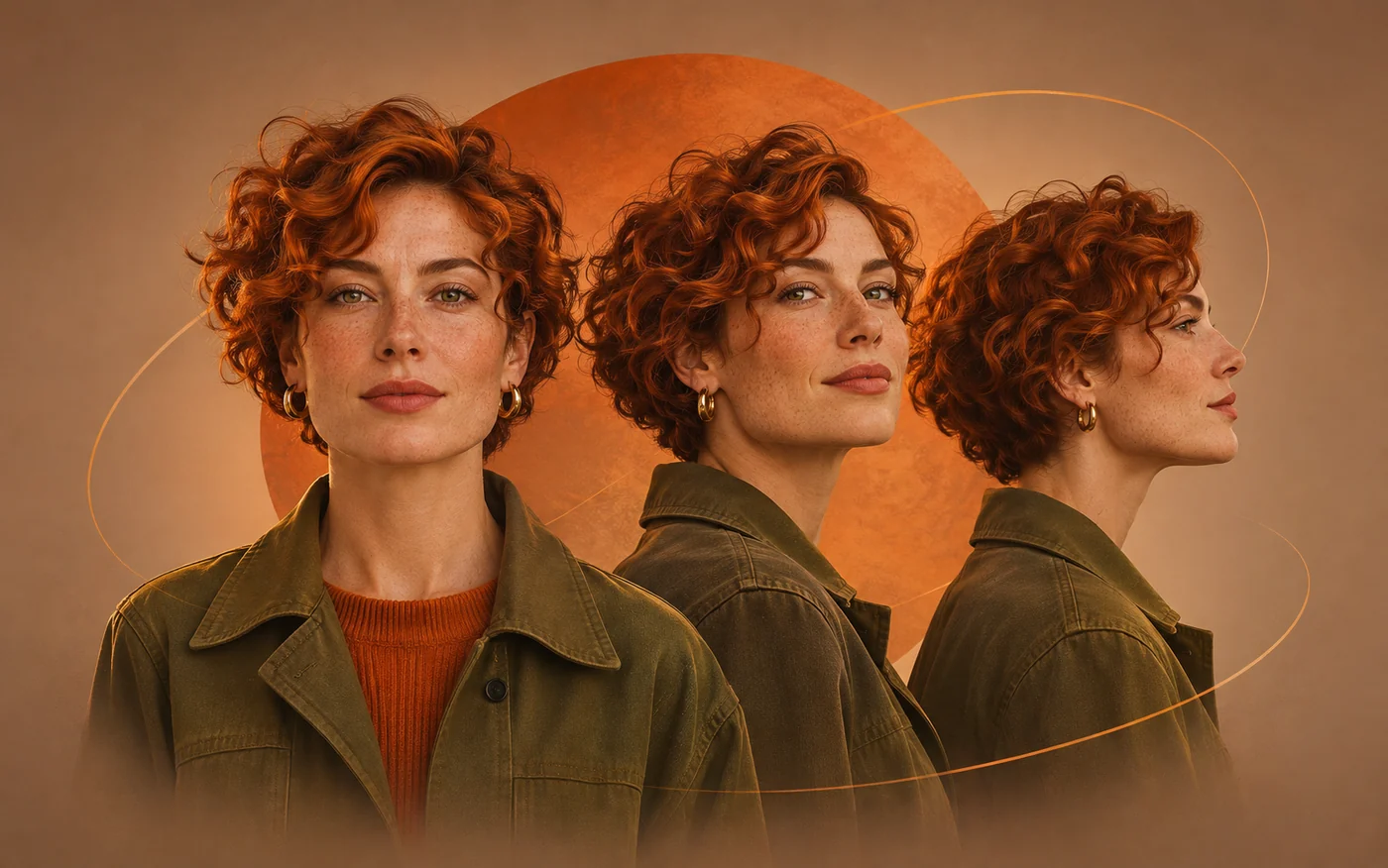
Several sides of one hero make the model's back and sides accurate. In the 3D section the price doesn't change with the number of photos, so a side sheet pays for the time.
- The first frame is the main one. A front view for a character, a side view for a quadruped. Check it against the rules above and redo it before moving on if anything is off.
- Other sides one at a time. Attach the first frame as a reference each time, same square and 2K.
- Sides named after the hero. Left («Слева») shows its left side, Right («Справа») its right, Back («Сзади») its back.
- Cross-check. The pose and scale match, nothing has appeared or vanished, and distinctive details stay on their side of the body. Three correct sides beat four with one mistake.
The same watchmaker from the image: the same scale, the same A-pose, look, clothing, colors, proportions and light, the same white background and the same margins. The camera has moved around him at the same height, and we see his back and the apron ties. No perspective, the whole hero in frame.
To keep the hero recognizable in other work too, save the sheet as a character: how to hold a look steady is covered in the guide on a consistent character. How to place the finished sides in the slots is covered in the guide on a 3D model from a photo.
Checklist before uploading
- One object or hero, nothing cut off, margins around it.
- A white or light gray background, no pattern, shadows or stand.
- Soft light, no highlights or colored patches.
- The camera at mid height, no perspective.
- For animation: a pose for the rig type, limbs apart, empty hands.
- Over 1K on the longer side, a sharp frame, no text or borders.
- Sides from one height in the same light, Left and Right not swapped.
Common mistakes
- A product in the seller's hand. Fingers grow into the model. Shoot the object on a table.
- A photo under a warm overhead lamp. An orange tint and a dark bottom bake into the color.
- A hero with a sword and shield. The rig fits badly, so the weapon is better as a separate model.
- Long loose hair. It fuses with the shoulders. Gather it into a bun or ponytail.
- The fox is sitting. Tucked legs fuse with the body and bones land in the wrong place. You need a stance on four straight legs.
What to read next
- 3D model from a photo: side slots and checking the preview.
- 3D character animation: the rig check and ready-made motions.
- AI 3D model generator: the whole 3D section in order.
- 3D model for printing: which objects print well.
- Background removal: a clean cut-out object.
Frequently asked questions
What kind of photo do I need for a 3D model
One object in full on a plain background, soft light without shadows or highlights, the camera at the middle of the object. At least 1K on the longer side, 2K is better.
How do I remove the background from a photo for 3D
Use background removal in Solistra and feed the cut-out PNG into the 3D section. Remove the shadow under the object too, or it becomes a patch on the model.
What pose should a character be in for 3D animation
An A-pose or T-pose: arms straight and held away from the body with a gap, palms open, legs straight and shoulder-width apart, nothing in the hands. A quadruped stands on four straight legs.
Why does my 3D model have patches on it
Most often the source had shadows, highlights or colored light, and they baked into the model's color. Reshoot in diffused light or draw the source in Image with even lighting.
Can I make a 3D model from a drawing
Yes. Attach the drawing as a reference in Image, ask for the same hero in the right pose on a white background, and feed the result into By photo («По фото»).
Try it in Solistra
Sources and licenses
- The 3D section — photo requirements and on-screen hints — Solistra
- Image generation — up to 14 reference images, 1K, 2K and 4K output — Google
- Background removal — a cut-out object as PNG — Solistra
- Text
- Solistra text. Our own wording and prompt examples, quotes under 15 words
- Images
Other images — Solistra image
- Checked
- November 18, 2026