Photo effect
Pixel Quest
a retro game hero from your photo
Pixel Quest («Пиксельный мир») turns your shot into a frame from a pixel adventure. The person becomes the hero, and a bright fantasy landscape built from big square pixels appears around them.
Try this effect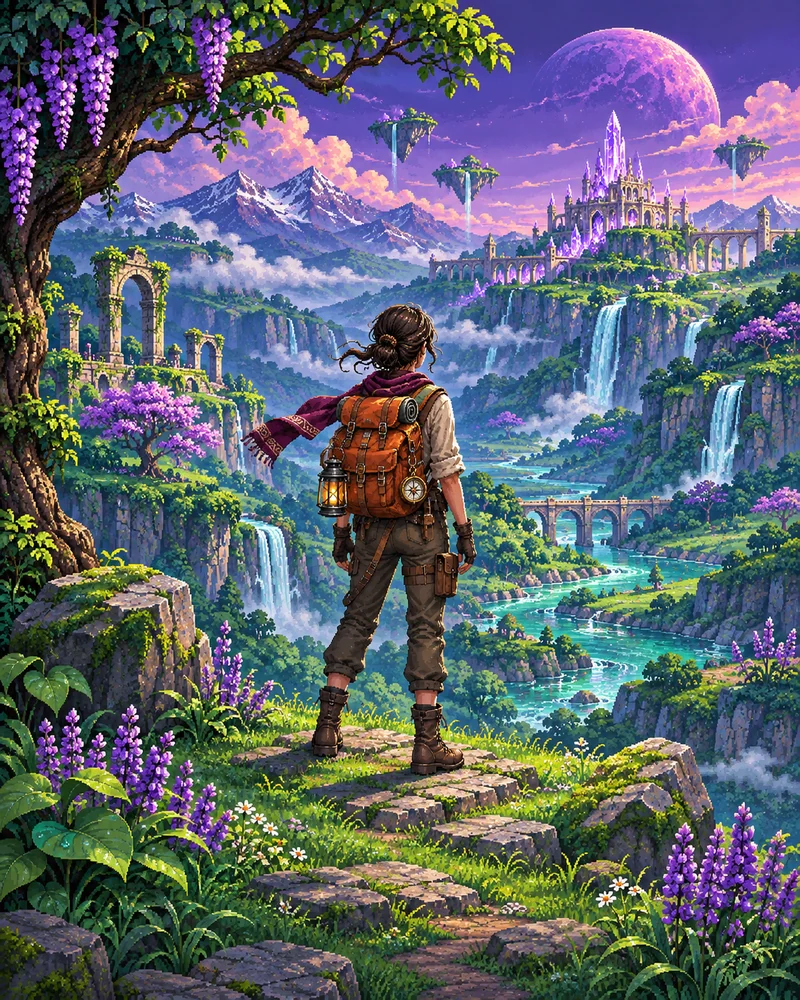
What the effect does
The effect translates your photo into the look of retro games. The figure and surroundings are built from pixel blocks, the colors get punchy, and the background turns into a fairy-tale world to explore. This is not a mosaic laid over your shot but a new scene, so the pose, clothes and setting may differ noticeably from the original.
No prompt is needed, everything is chosen in advance. Before you run it, pick a format: 4:5, 1:1 or 16:9. A wide frame looks more like a game screen, and a square is handy for an avatar. The credit price is shown on the button. The result is saved to your Library («Библиотека»), where you can download it or refine it in the Image («Фото») section.
Which photo works best
Per the hint by the photo field, the whole face should be visible and the lighting even. Pixel graphics simplify small things, so bold features and a clear silhouette matter more than detail. Upload a shot from your device or choose one in your Library. Use photos of friends only with their consent, and note that moderation checks both the upload and the result.
How to get the best result
- 01
A close-up or waist-up portrait gives the face more pixels, so the hero comes out more expressive
- 02
Choose a 1:1 square for an avatar in a gaming community
- 03
A horizontal 16:9 looks like a console screen and leaves room for the landscape
- 04
A shot with a clear silhouette and no clutter around reads better in pixels
Frequently asked questions
Can I make a pixel avatar for my gaming profile?
Yes, pick the 1:1 format for that. The effect draws you as the hero of a pixel adventure on a bright background, an image that fits an avatar nicely.
Why does the pixel hero not repeat my pose?
The effect builds a new game scene with a fantasy landscape rather than recoloring the original photo. That is why the pose and surroundings are chosen to fit the adventure.
Can I adjust the pixel size?
No, the effect sets the pixel size and the level of simplification itself, and the only setting is the frame format. If the result feels too detailed or too simple, run the effect again.