Photo effect
Outfit of the Day
your look on a city street for a blog
Outfit of the Day («Наряд дня») helps you show off a look as if it was shot on a city street for a fashion blog. You upload a full-length photo, and the effect places you on an urban street.
Try this effect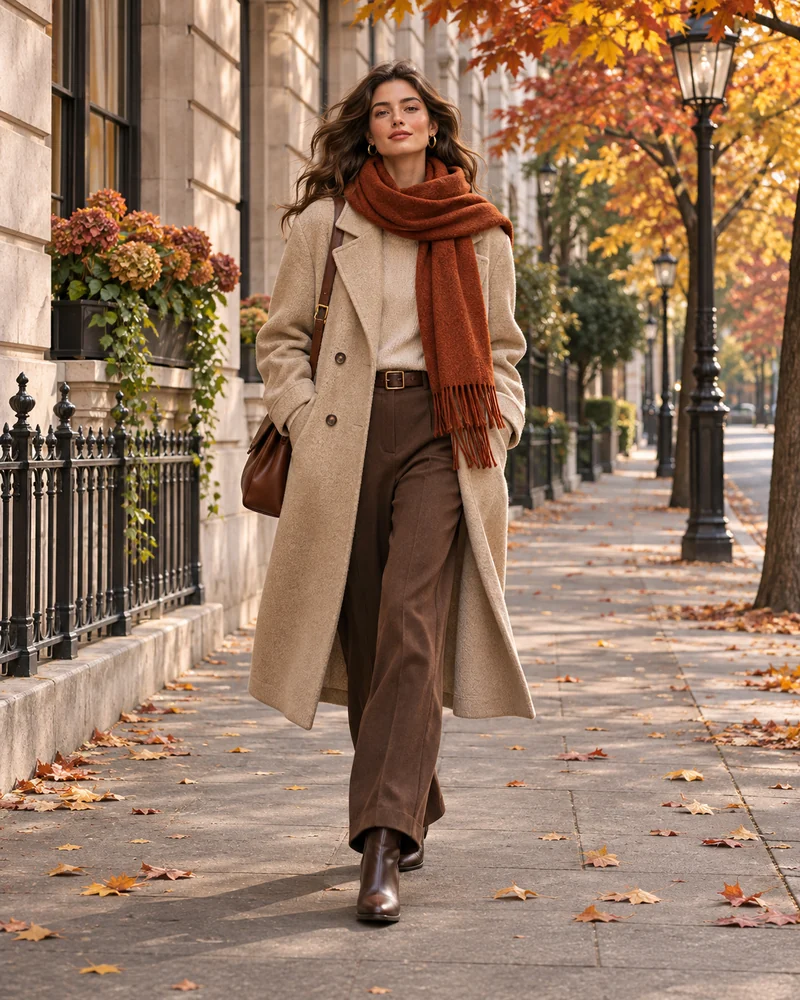
What the effect does
The focus here is the clothes and the whole silhouette, not a close-up portrait. The effect takes your look and places it against a city street, so you get a frame for a blog or a weekly lookbook. It comes in handy when the outfit is great but the photo was taken at home in front of a mirror.
No prompt is needed, the scenario is already set up. You can choose the frame format: 3:4 by default, 1:1 or 16:9. The credit price is visible on the button before you start.
Which photo works best
The field here is called «Фото в полный рост», a full-length photo, and that is the main requirement: the whole person must be in the frame, from the top of the head to the shoes. Upload a shot from your phone or choose one from your Library («Библиотека»). The clothes should not be cut off by the edge of the frame. Upload a photo of a friend or a client only with that person's consent.
How to get the best result
- 01
Make sure your shoes are in the frame, because cropped legs keep the effect from showing the whole look
- 02
Shoot the outfit in even light without deep shadows so the color and texture of the fabric read clearly
- 03
Hold your hands and bag so they do not cover the key piece of the outfit
- 04
Pick 3:4 for a feed post, and 16:9 for a cover or banner with the street around you
Frequently asked questions
Can I get a street style shot if I took the photo at home in a mirror?
Yes, that is exactly what the effect is for: it moves your look onto a city street backdrop. Just make sure the person is in the frame from head to toe and the phone in hand does not cover the face and clothes.
Will Outfit of the Day work with a head-and-shoulders portrait?
No, the effect needs a full-length photo, as the hint by the upload field says. A head-and-shoulders portrait cannot show the whole look, so choose another portrait effect for it.
Can I shoot another person for this effect, such as a model?
Yes, if the person agrees to have their photo processed. Moderation checks both the uploaded photo and the result. The finished frame is saved to your Library.