Photo effect
Claymation
a handmade clay character from you
Claymation («Пластилин») sculpts a character from your photo that looks shaped by hand from colored modeling clay. The surface shows the lively texture of the material, and soft light makes the figure warm and cozy.
Try this effect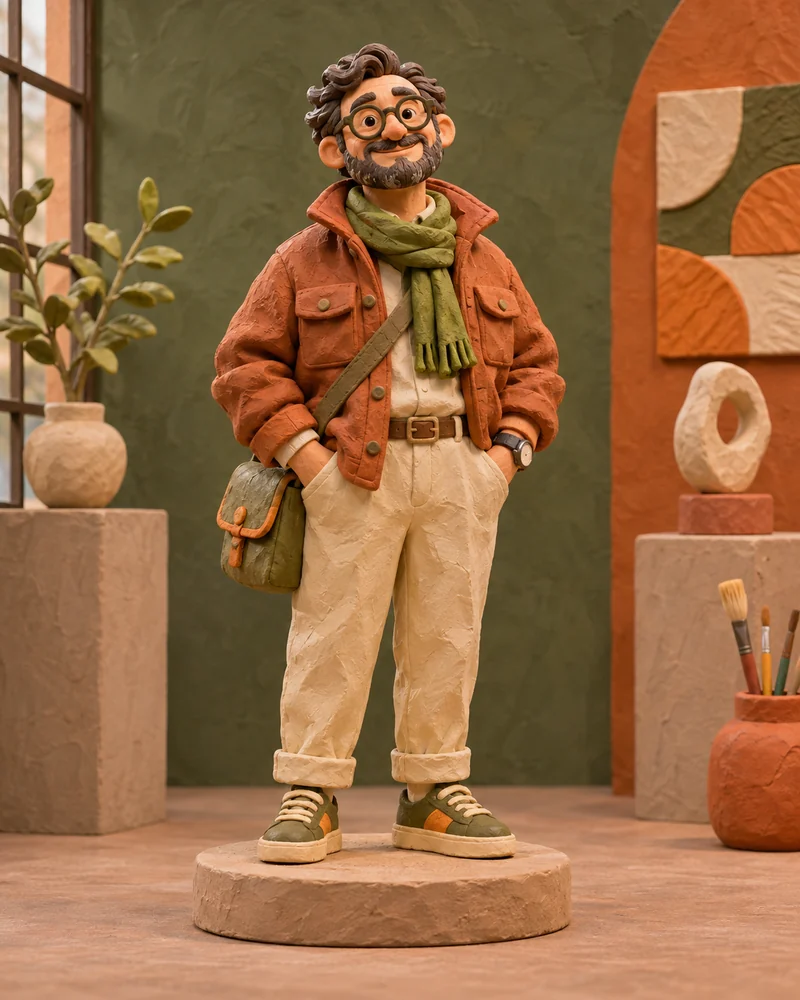
What the effect does
The model moves your photo into a claymation style: the character looks sculpted by hand, with the lively texture of the material and soft light without harsh shadows. A character like this looks great on a greeting card, as an avatar or in a playful post. It differs from Paper World in material: instead of paper layers and folds, you get a solid sculpted figure.
No prompt is needed, the scenario is already set. You can choose a 4:5, 1:1 or 16:9 format. The credit price is shown on the button before you run it, and the result is saved to your Library («Библиотека»).
Which photo works best
Upload a phone photo to the photo field or pick one in your Library. The effect's hint says the whole face should be visible and the light even. Simple portraits with a clear pose and nothing extra in the hands work well. Upload photos of other people only with their consent, since moderation checks both the photo and the result.
How to get the best result
- 01
Choose a photo with a clear silhouette and a calm background, a sculpted look needs a simple, readable shape
- 02
The 1:1 square is handy for an avatar with your clay character, vertical 4:5 for a post
- 03
Avoid shots with beauty filters, smoothed skin gets in the way of the lively clay texture
- 04
Try the effect on a photo with a strong emotion, a smile or surprise looks great in sculpted form
Frequently asked questions
Can I make clay characters from a family photo?
The effect is designed for a shot where the face is fully visible and evenly lit, and it works most reliably with one person. For a family picture, try a portrait of each person separately first, and upload photos of relatives only with their consent.
How can I use the clay portrait after it is generated?
The finished picture is saved to your Library. You can download it for an avatar or a card, or open it in the Image section and refine it with your own prompt, for example to change the background.
Why does my clay character not look exactly like the photo?
The effect redraws the person in modeling clay rather than applying a filter, so proportions and details are simplified for sculpting. The sharper the face in the original, the more recognizable the result.