Photo effect
Linocut Print
a carved-line portrait on paper
Linocut Print («Линогравюра») turns a photo into a two-tone print that looks carved into linoleum and pressed onto cream paper. Bold black shapes, carved strokes and dense shadows make the portrait graphic and striking.
Try this effect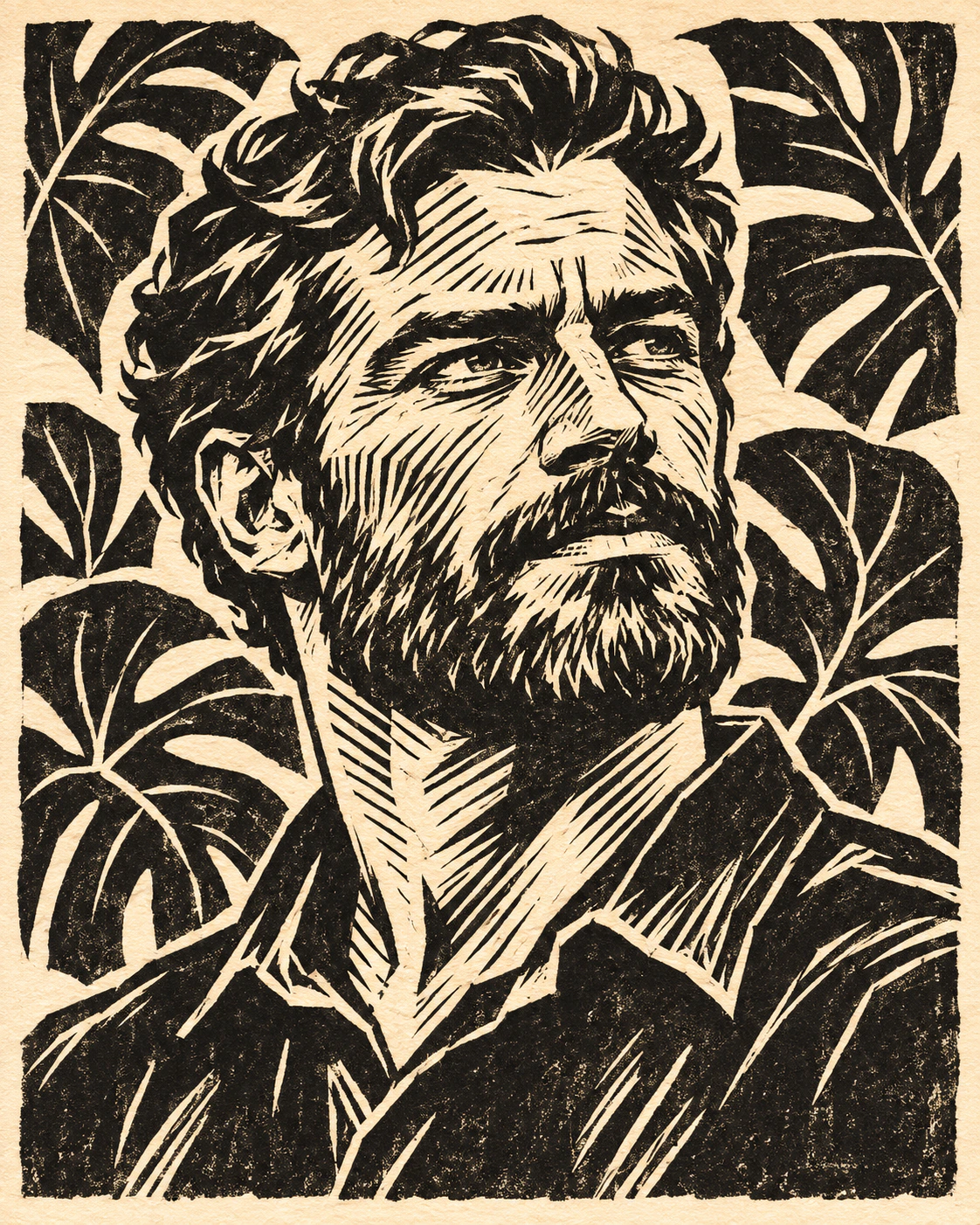
What the effect does
The effect reduces the image to two tones. Colors disappear and fine features smooth out, but the distinctive proportions of the face remain, so the portrait keeps its character. The lines look as if they were cut with a gouge: uneven, with lively edges, while shadows fall in large patches. Unlike Risograph with its two color layers, this one is black on cream only.
No prompt is needed. Choose from 4:5, 1:1 and 16:9, and the credit price is visible on the button before you start. The print is saved to your Library («Библиотека»), where you can download it or refine it in the Image («Фото») section.
Which photo works best
You need a sharp portrait without fine details around the face. Earrings, a small pattern on a collar, strands of hair on the forehead and thin glasses frames get lost in a linocut or turn into noise. A close-up with an open face and a simple background works best. Upload a photo or choose one from your Library.
How to get the best result
- 01
Brush your hair off your forehead and take off small jewelry, because carved lines cannot render it
- 02
Side light creates big shadows that the linocut uses to build volume
- 03
A 1:1 square looks great as a bookplate or a notebook cover
- 04
If you want color, choose Risograph, since a linocut is only black and cream
Frequently asked questions
Will people recognize me in the linocut?
The characteristic proportions of the face are kept, while colors and fine features are simplified. The portrait looks like a print cut with a chisel, not a photo, so small distinguishing marks may disappear.
Can I print the linocut from my photo as a poster?
You can download the finished print from your Library and print it. A vertical 4:5 is handier for a wall poster, and two-tone graphics on a cream background look good in a simple frame.
Why did my linocut come out too dark?
Bold black shadows are part of the style. If the face fell into shadow, take a shot with more even light and a simple background and run the effect again.