Photo effect
Digital Glitch
a portrait with color and pixel errors
Digital Glitch («Цифровой глитч») turns your photo into a portrait with the aesthetics of a digital malfunction. Color layers slide apart in geometric bands, and the image breaks up into digital fragments.
Try this effect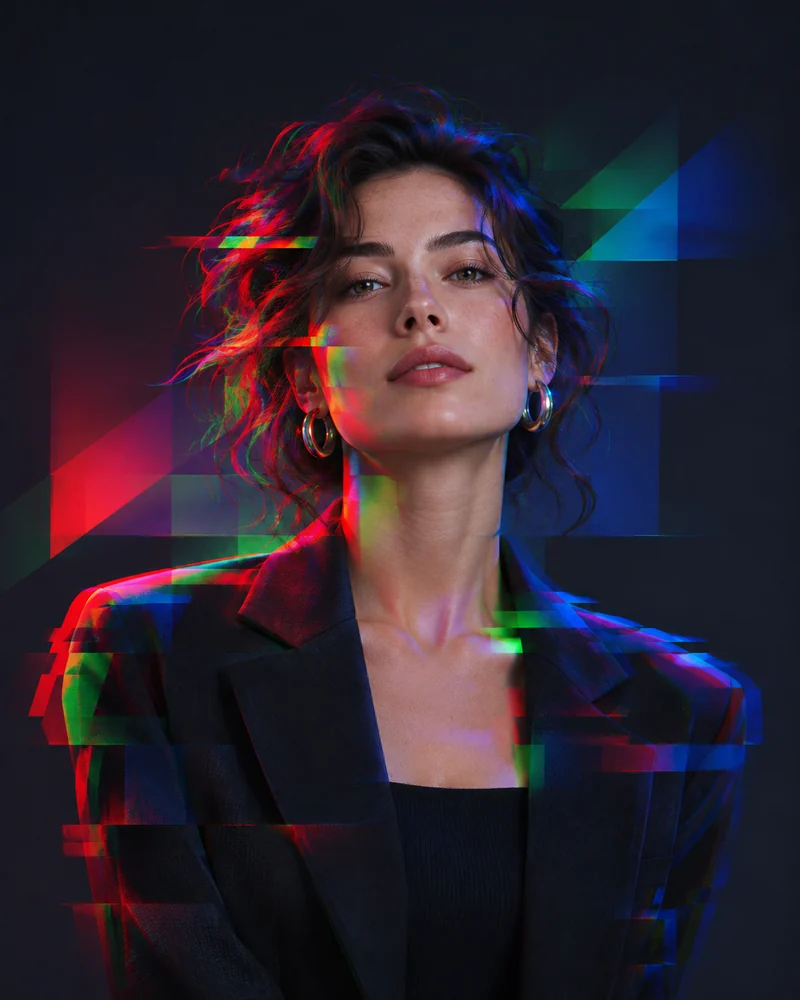
What the effect does
The effect treats your portrait like a damaged signal. Color shifts in layers, parts of the frame break off in even blocks and digital shards appear. The result is a look for a track cover, an avatar or a poster for an electronic music party, where the malfunction reads as a deliberate artistic move.
The request and settings are already chosen, so there is no prompt to write. Choose a 4:5, 1:1 or 16:9 format and check the credit price on the button before you run it. The finished portrait lands in your Library («Библиотека»). You can download it or refine it with your own prompt in the Image («Фото») section. If the generation fails because of a technical error, the credits are returned.
Which photo works best
You need a photo where the whole face is visible and evenly lit, as the photo field hint suggests. The glitch adds chaos on its own, so a calm original is better, with a plain background and no color filters or heavy retouching. A contrasty silhouette helps the color shifts read clearly. You can upload a shot or pick one in your Library.
How to get the best result
- 01
A calm, plain background gives the digital fragments room and does not compete with them
- 02
Do not apply color filters beforehand, the effect creates the color shift by itself
- 03
The 1:1 square suits a track or podcast cover
- 04
If the glitch covered an important part of the face, run the effect again and pick the better version
Frequently asked questions
Can I make a glitch avatar from a phone photo?
Yes, an ordinary phone portrait works if your whole face is visible and the light is even. The 1:1 square is handy for an avatar, vertical 4:5 for a feed post.
Can I choose the glitch colors?
You cannot choose the palette or the strength of the shift in the effect settings, only the frame format is available. If you want a different tone, refine the result with your own prompt in the Image section.
Does Digital Glitch work for a party poster?
Yes, geometric color shifts and digital fragments look great on posters and covers. For a horizontal banner, choose the 16:9 format.