Photo effect
Double Exposure
a portrait merged with forest and peaks
Double Exposure («Двойная экспозиция») unites a portrait and nature in a single image. The person merges with a misty forest and mountains, and the frame looks like an artful overlay of two separate shots.
Try this effect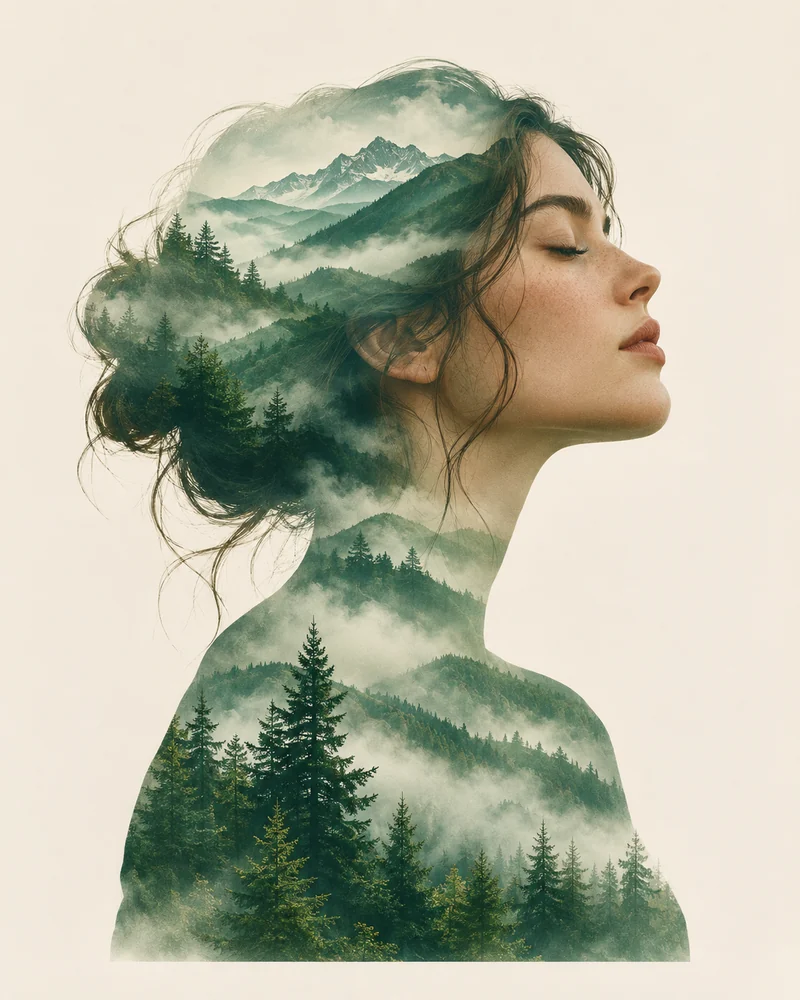
What the effect does
Double exposure is a film photography technique where two images are captured on one frame. The effect recreates it from your photo: the portrait joins a misty forest and a mountain landscape, and they become one image. The result is a pensive, atmospheric frame for a cover or a poster. Unlike Fantasy Forest, where the person stands inside a fairy-tale scene, here nature and the portrait fuse together.
No prompt is needed. A silhouette with a landscape inside reads best in vertical 4:5, a poster or banner suits 16:9, and an avatar suits 1:1. The credit price is shown on the button before you run it.
Which photo works best
Upload a portrait to the photo field or pick one in your Library («Библиотека»). The effect's hint says the whole face should be visible and the light even. For the overlay, a profile or a three-quarter head turn with a clear silhouette works well, as does a simple, light background in the original. Upload a photo of another person only with their consent.
How to get the best result
- 01
A profile or a three-quarter turn gives a clear outline that the forest landscape fills beautifully
- 02
A light, plain background in the original helps the forest and mountains blend into the silhouette more neatly
- 03
Vertical 4:5 suits a book cover or a poster
- 04
A thoughtful expression and a gaze to the side match the misty mood of the frame
Frequently asked questions
How do I make a double exposure from just one photo?
Upload a single portrait and the effect adds the second layer with the misty forest and mountains by itself. There is no need to shoot two frames and combine them yourself.
Can I choose my own landscape for the double exposure?
The landscape is already set in this effect, a misty forest and mountains. If you need a different one, such as the sea or a city, open the finished frame in the Image section and refine it with your own prompt.
Does a double exposure work as an avatar?
It does, just pick the 1:1 square. Keep in mind that part of the face can merge with the landscape in the overlay, so for an avatar a shot with a large, well-lit face is the better choice.