Photo effect
Out of the Photo
stepping from a print into the world
Out of the Photo («Выход из фотографии») turns your shot into a paper print with its subject climbing out. The person or pet seems to step from a flat card into the real world, and the line between photo and reality disappears.
Try this effect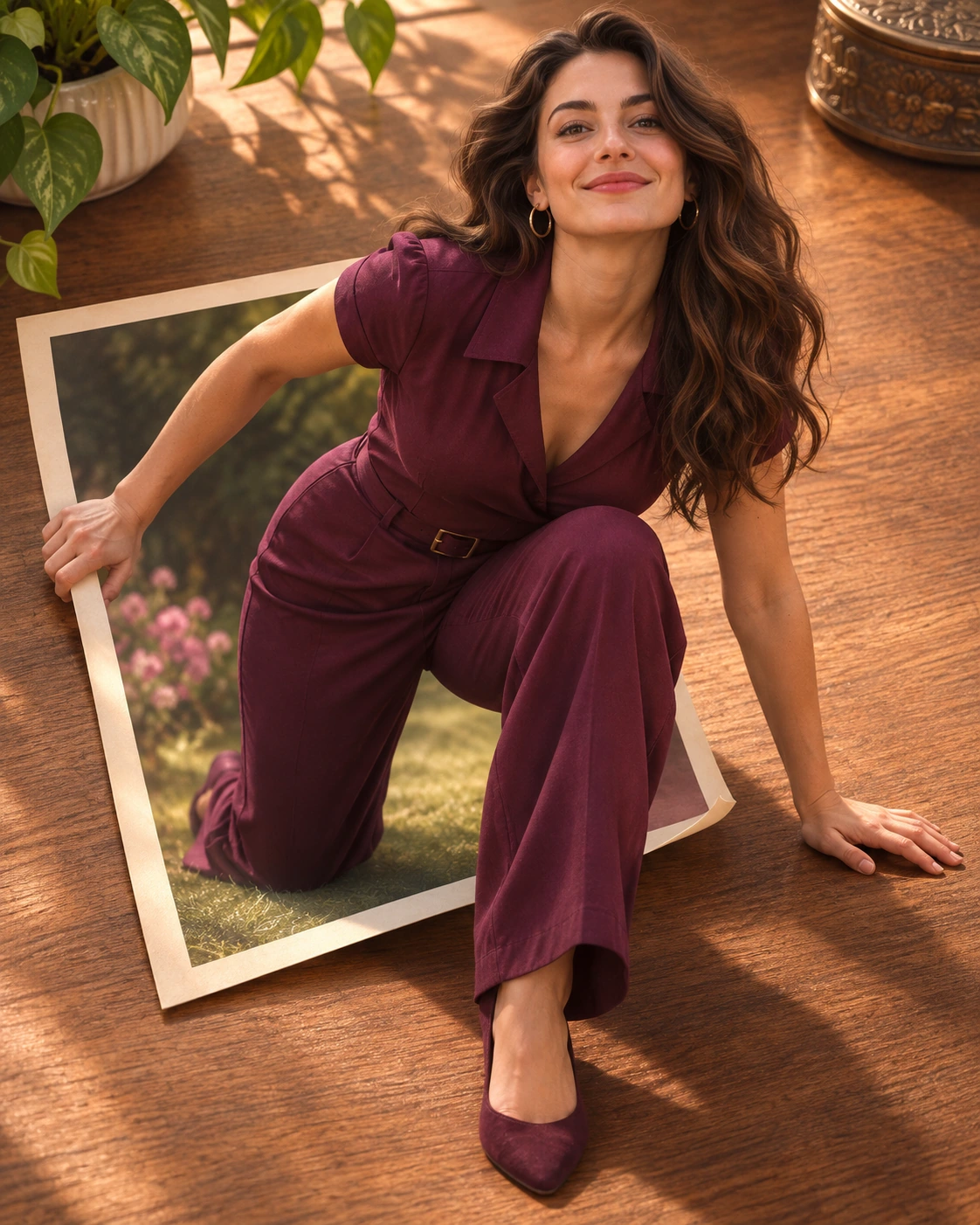
What the effect does
The effect builds a 3D scene with a paper photo inside it. The subject seems to be half still in the frame and half already in real space. To make that work, the pose and surroundings change. Unlike Photo Meets Sketch, it plays not with drawing technique but with depth and the edge of the frame.
No prompt is needed. Choose 4:5, 1:1 or 16:9, and the credit price is shown on the button. The finished scene is saved to your Library («Библиотека»), and if a generation fails because of a technical error, your credits are returned.
Which photo works best
You need a photo of one person or pet shown in full. The effect needs to see the subject's arms, legs or paws, because that is how they step out of the frame. Upload a shot from your device or choose one from your Library. Use photos of other people only with their consent.
How to get the best result
- 01
You need a full-length subject, otherwise there is nothing to step over the edge of the photo
- 02
Do not get attached to the original pose, since it changes for the sake of the 3D scene
- 03
A pet shot in full looks especially fun climbing out of the picture
- 04
A vertical 4:5 suits a standing figure, while a horizontal 16:9 shows more space around the card
Frequently asked questions
Can I make my dog jump out of a photo?
Yes, the effect is designed for one whole person or pet. A full-body shot of your dog becomes a scene where it climbs out of a paper print.
Why is the pose in the result different from my shot?
The effect changes the pose and surroundings so the subject convincingly steps out of the paper print into 3D space. Without that the scene would look flat.
Will a photo of two people work for this effect?
The effect is designed for a single subject. If there are two people in the shot, pick a separate frame of each or crop the photo beforehand.