Photo effect
Mother-of-Pearl Relief
your photo carved in nacre
Mother-of-Pearl Relief («Перламутровый рельеф») moves your shot onto the inside of a seashell. A portrait or object becomes a raised relief of shimmering nacre layers, crossed by fine iridescent veins.
Try this effect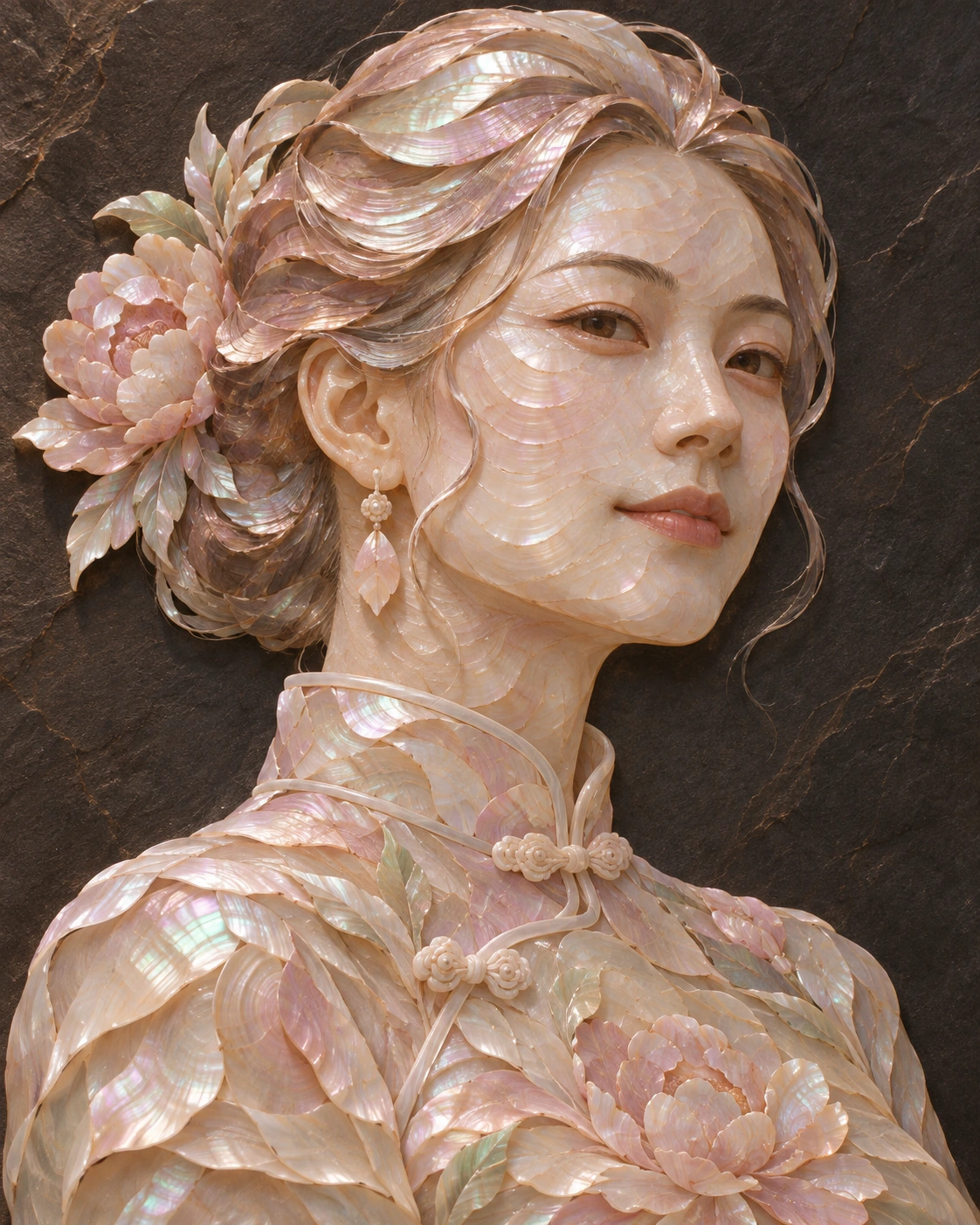
What the effect does
The effect works like a mother-of-pearl carver. The silhouette rises above the surface, the shell layers shift from milky to iridescent, and the veins trace the curves of the form. Unlike the amber capsule effect («Янтарная капсула»), where the object turns into clear resin, here it is carved from nacre and stands out in relief.
No prompt is needed. Choose 4:5, 1:1 or 16:9 and check the credit price on the button before you run it. The relief is saved to your Library («Библиотека»), where you can download it or refine it with your own prompt in the Image («Фото») section.
Which photo works best
A portrait or a large object with a readable silhouette works. The relief is built on the outline, so a profile, a clear shoulder line or crisp edges of an object work better than blurry or cluttered shots. Upload a photo or choose one from your Library, and use other people's shots only with their consent.
How to get the best result
- 01
A profile portrait gives the relief an expressive line of brow, nose and chin
- 02
Shoot a simply shaped object, like a vase or a piece of jewelry, up close and with nothing extra around it
- 03
A dark solid background helps the silhouette separate and read clearly in the relief
- 04
A 1:1 square makes the nacre relief look like a cameo or a locket
Frequently asked questions
Can I make a mother-of-pearl cameo from a profile portrait?
Yes, a profile with a clean facial line suits this effect well. The relief is built along the silhouette, so a clear outline gives an expressive result.
Will the colors of my photo survive in the nacre relief?
The image becomes a mother-of-pearl relief, so the original colors usually give way to milky layers and iridescent veins. What matters most in the photo is the silhouette.
Why did my pearl relief come out flat?
Usually the culprit is an unclear silhouette or a busy background. Take a shot where the outline of the portrait or object reads well and run the effect again.