Photo effect
Paper Whirlwind
a spiral of sheets around your subject
Paper Whirlwind («Бумажный вихрь») lifts hundreds of light sheets around your subject and twists them into a 3D spiral. The scene turns surreal, while the face and key details stay visible, with no paper covering them.
Try this effect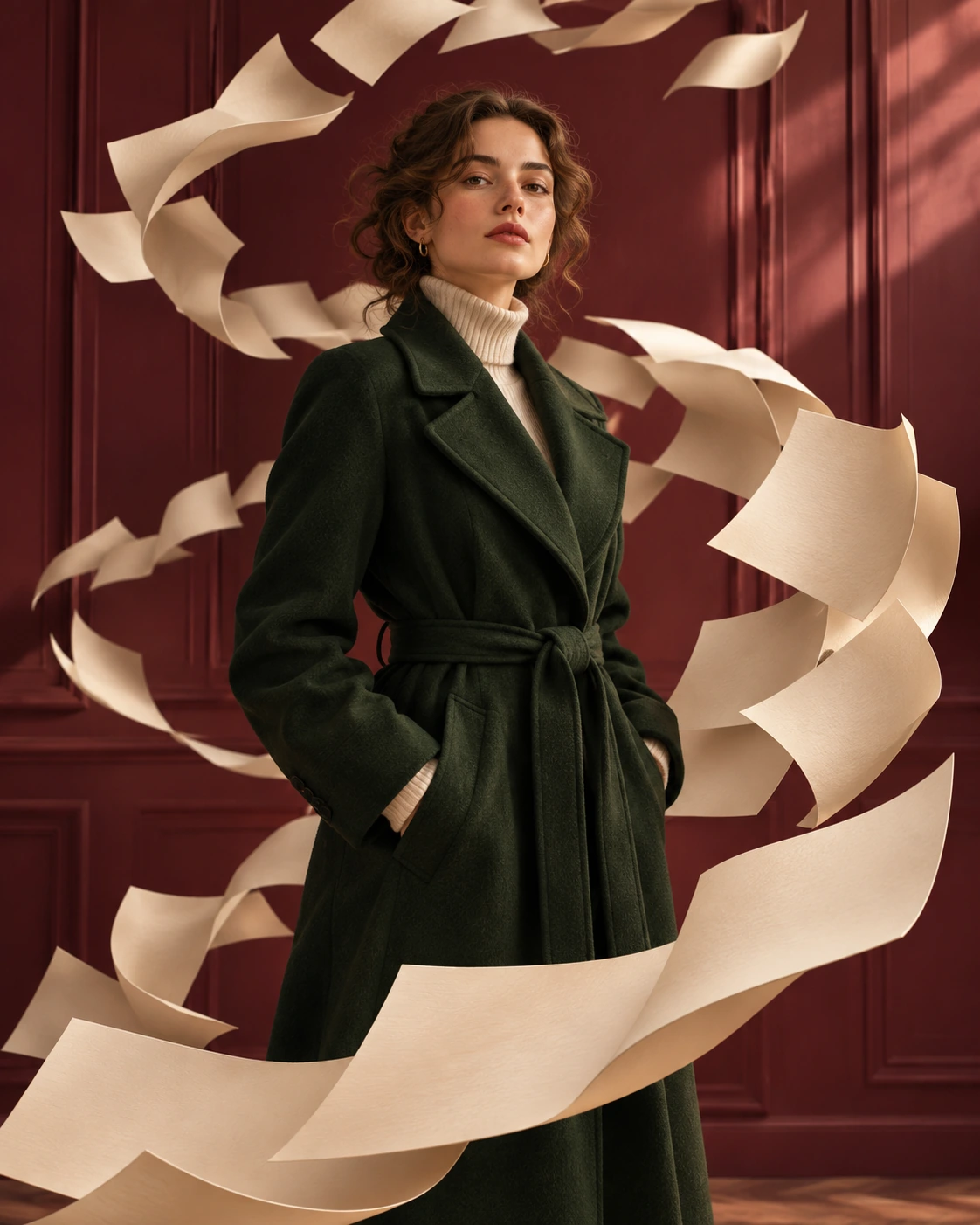
What the effect does
The effect takes your shot and sets paper in motion around a person or object. Sheets fly in a circle, creating depth and the feel of a strong gust of wind. The surroundings adapt to the scene, and the spiral goes around the face and key details.
You will not have to write a prompt, as the model and settings are already chosen. Before you run it, pick a 4:5, 1:1 or 16:9 frame, and the button shows the credit price. The finished image is saved to your Library («Библиотека»), where you can download it or refine it with your own prompt in the Image («Фото») section.
Which photo works best
You need a person or object with a simple silhouette. The cleaner the outline, the more neatly the paper flies around the subject. A portrait on a calm background, a full-length figure, a vase, shoes or a book all work. Upload a shot from your device or take one from your Library. Use a photo of another person only with their consent.
How to get the best result
- 01
Pick a frame where the subject's outline reads at a glance, with no hands or items blending into the background
- 02
Use 4:5 for a full-length figure, and save horizontal 16:9 for a scene where the whirlwind needs room on the sides
- 03
Shoot an object in full with space around it so the sheets have somewhere to swirl
- 04
If the spiral did not land the way you wanted, run the effect again with the same shot and compare
Frequently asked questions
Will the flying sheets cover the face in the photo?
No, by design the face and key details stay open. The sheets swirl around the subject, and it is the scene that changes.
Can I make a paper whirlwind around a product or an item?
Yes, the effect works with objects too. Items with a simple silhouette, shot in full against a calm background, work best, so the paper spiral looks deep and does not tangle with the details.
Why does the paper whirlwind need a simple silhouette?
The sheets have to circle the subject. When the outline is clear, the AI easily separates it from the background and builds the spiral. In a busy shot that boundary gets lost.