Photo effect
Charcoal Sketch
a charcoal drawing of your photo
Charcoal Sketch («Угольный портрет») redraws your photo in charcoal. The color disappears completely, replaced by deep blacks, soft smudged blending and a noticeable paper texture, like a piece drawn by hand.
Try this effect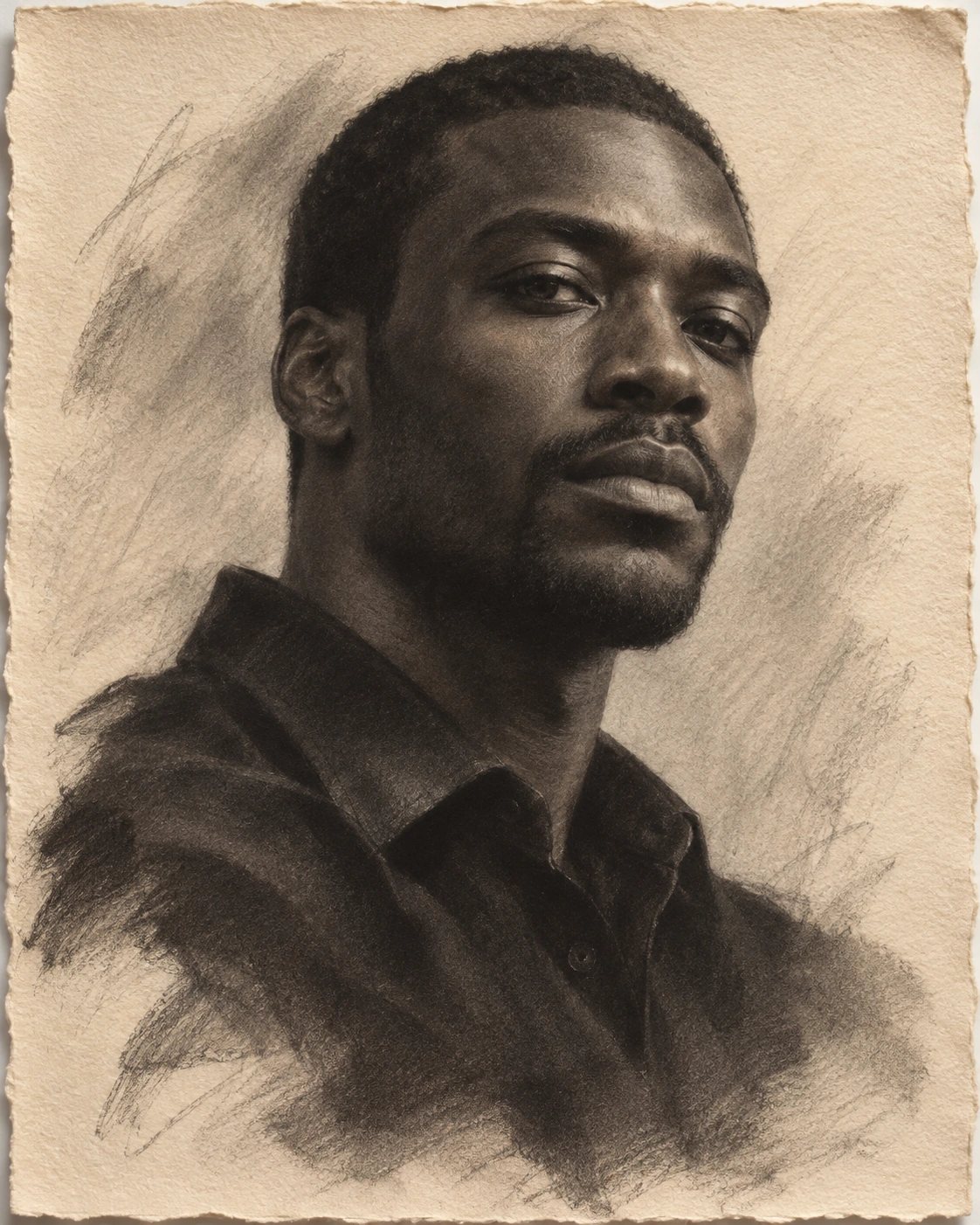
What the effect does
The whole shot becomes a monochrome drawing. Shadows land as dense charcoal patches, transitions are blended and the paper grain shows through the strokes. The effect conveys volume well wherever the original has expressive light. It differs from Sidewalk Chalk in both technique and tone: that one gives bright, dry strokes on the sidewalk, this one gives dark graphics on a sheet of paper.
No prompt is needed. Choose a 4:5, 1:1 or 16:9 format, and the credit price is shown on the button. The portrait is saved to your Library («Библиотека»).
Which photo works best
A portrait, a pet or a large object with expressive light works well. Window light from the side or a hard shadow from a lamp gives the charcoal material for depth. Flat light without shadows turns the drawing into a gray wash. You can upload a photo or pick one from your Library. Use other people's photos only with their consent.
How to get the best result
- 01
Look for a shot with expressive light and shadow, it is the main raw material for charcoal drawing
- 02
The color of clothes and background does not matter, it all turns into shades of black and gray anyway
- 03
A close-up portrait gives more detail on the face than a full-length shot
- 04
Vertical 4:5 suits a portrait for the wall, a 1:1 square suits an avatar
Frequently asked questions
Can I get a charcoal portrait of my dog?
Yes, the effect takes pets too. Fur comes through well in the smudged shading, especially when side light falls on the muzzle and the background behind the animal is dark or calm.
Can I keep my eye color in the charcoal portrait?
No, the effect replaces all color with the charcoal drawing. If you want a color accent, open the result from your Library and refine it with your own prompt in the Image section.
Why did my charcoal portrait come out gray and flat?
Most likely the original has even light with no shadows. Charcoal needs contrast, so pick a photo with light from a window or a lamp off to the side and run the effect again.